Documents, presentations and spreadsheets with AI
Create Word-style documents, slides and spreadsheets in Grout App and let Grout AI write, polish and check them.
Written By Grout
Last updated 20 days ago
On Home, press Create and choose from Design & Office: Document, Presentation or Spreadsheet.
Every editor has a right-hand dock with Exam, Grout AI, AI Image Generation, AI Memory and Helpdesk. Export → PDF saves a PDF.
Grout AI panel
Memory – attach AI Memory. Textbook uses only the chosen chapter's pages; Note uses the entire PDF.
Search – search the web.
Think – deeper reasoning.
Image – generate an image.
AI settings – cloud or local engine and model.
Documents
AI Summarize, AI Polish, AI Format, or ask in "Let AI help you write and edit".
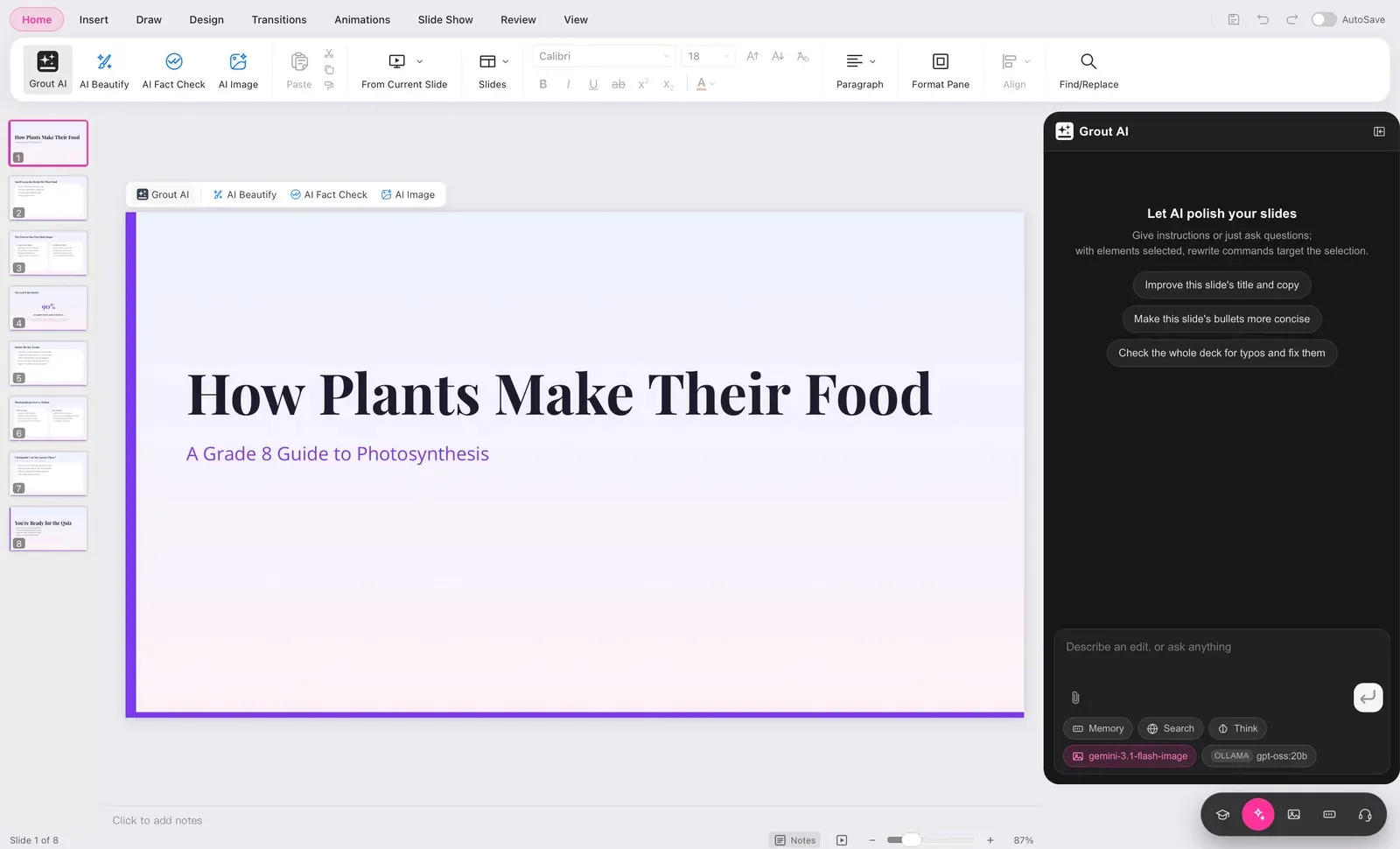
Presentations
AI Fact Check, AI Image, AI Beautify, or ask in "Let AI polish your slides".
Spreadsheets
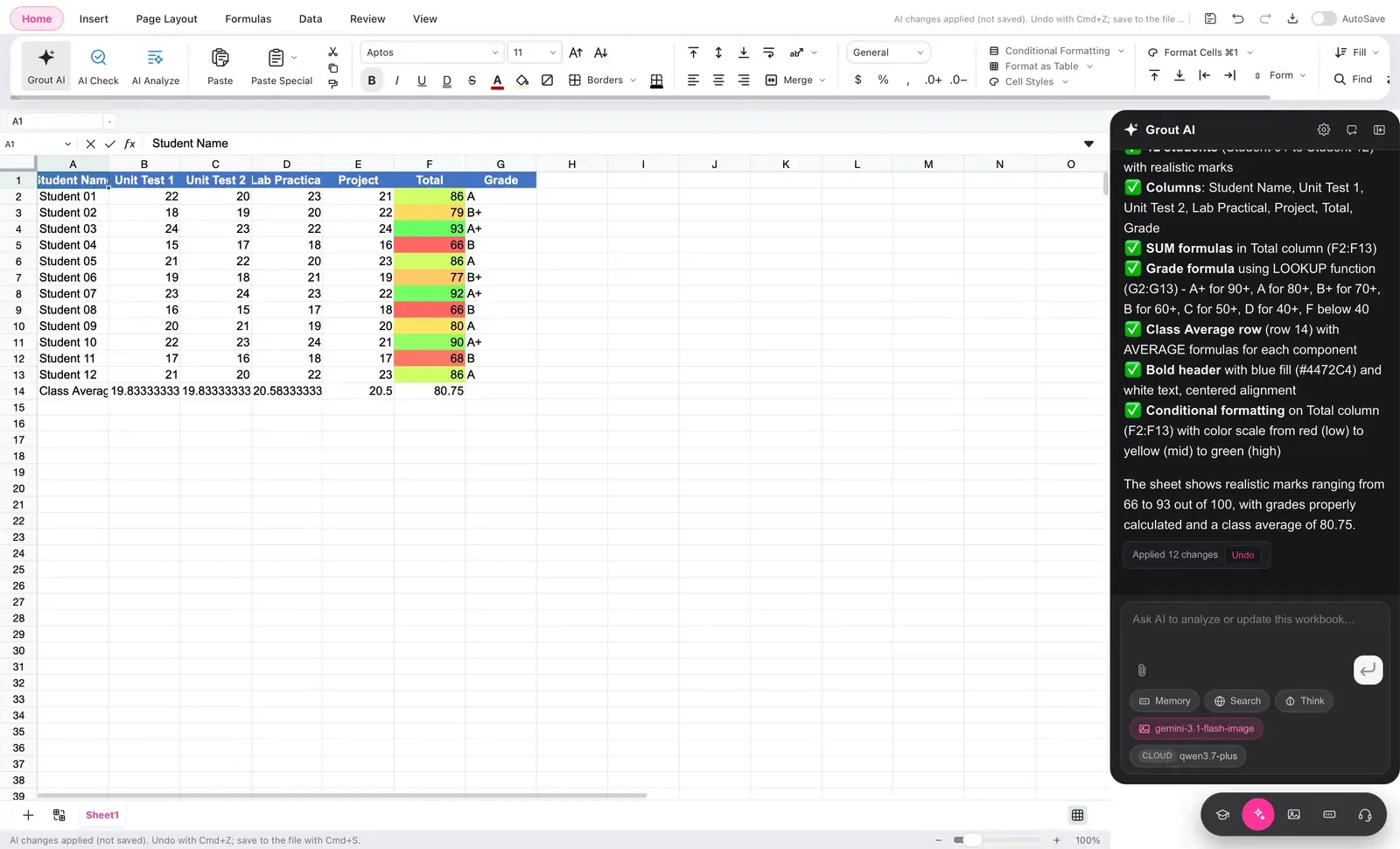
"Let AI build this workbook for you" – describe a table, data or chart.
AI Check – finds formula errors, mixed types and totals that do not add up.
AI Analyze, and starters such as Summarize this sheet, Add a totals row, Check the formulas.
Changes appear as Proposed changes with Undo.
Costs
Merits on Grout AI Cloud; free with your own key or local AI.
Was this helpful?
Still need help? Ask the team