Using your own AI key in Grout App
Connect your OpenAI, Anthropic, Google or other key so AI features run on your account with no Merits used.
Written By Grout
Last updated 20 days ago
If you already pay for an AI provider, you can use your own key everywhere in Grout App. No Merits are used — your provider bills you directly.
Connect a key
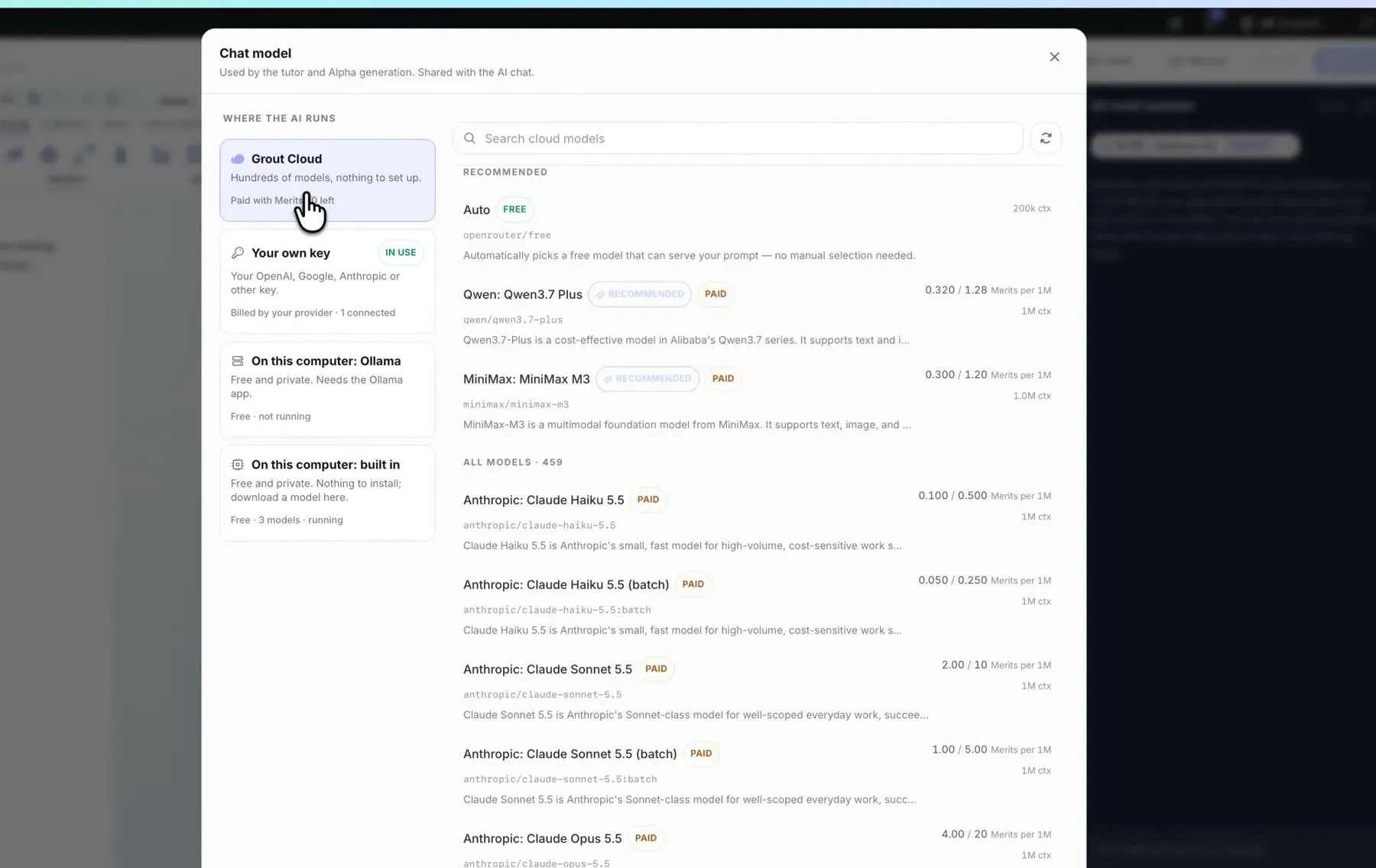
Open the AI chat settings provider panel and choose Use my own key (or Connect another key). Every model picker also has Where the AI runs → Your own key.
Pick a provider: OpenAI, Anthropic, Google, Groq, Together, xAI, Cerebras, a multi-model key, or Custom (your own gateway with a Base URL).
Press Open key page and follow the three steps shown.
Paste the key and press Test first. A green line means it really works.
Press Connect, then pick a model from that provider.
Image keys
Alpha Learning and the image generator have Connect an image key (fal.ai, Black Forest Labs (FLUX), OpenAI, Google). A key already saved for the AI chat is reused automatically.
Privacy
Your key is encrypted, stays on this computer and is never sent to Grout. Keys are kept per account.
Where the AI runs
Each model picker offers: Grout Cloud (uses Merits), Your own key, On this computer: Ollama and On this computer: built in. Prices are shown in Merits per 1M tokens and badges show Local, Your key, Free or Paid.
Troubleshooting
A brand-new Anthropic or OpenAI key without credit fails the test — add billing on the provider's site.
After switching provider, choose a model again.
Was this helpful?
Still need help? Ask the team