Using the Debug workflow
Turn terminal stack traces into inline red-to-green diff fixes.
Written By Grout
Last updated 4 months ago
The Debug workflow reads terminal stack traces and provides inline red-to-green diff fixes — so you go from an error to a working fix without leaving the IDE.
How it works
When your code throws an error, open the Debug workflow.
It reads the terminal stack trace.
It proposes a fix as an inline diff — red for the broken code, green for the correction.
Review the diff and apply it.
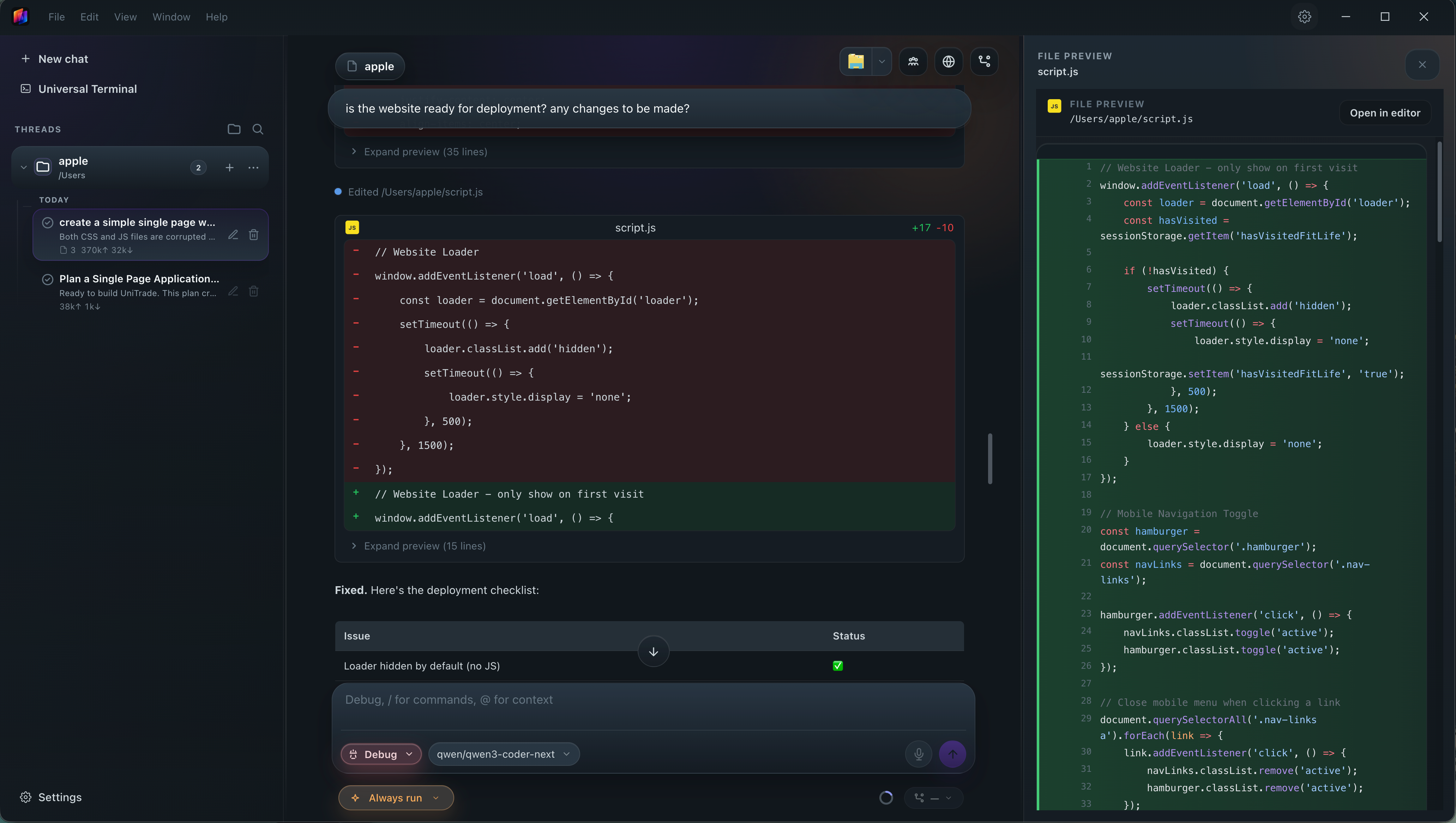
Why red-to-green diffs
Seeing exactly what changes — and why — keeps you learning from each fix instead of just pasting a solution.
Was this helpful?
Still need help? Ask the team