Using the Ask workflow
Your inline mentor for breaking down complex logic step by step.
Written By Grout
Last updated 4 months ago
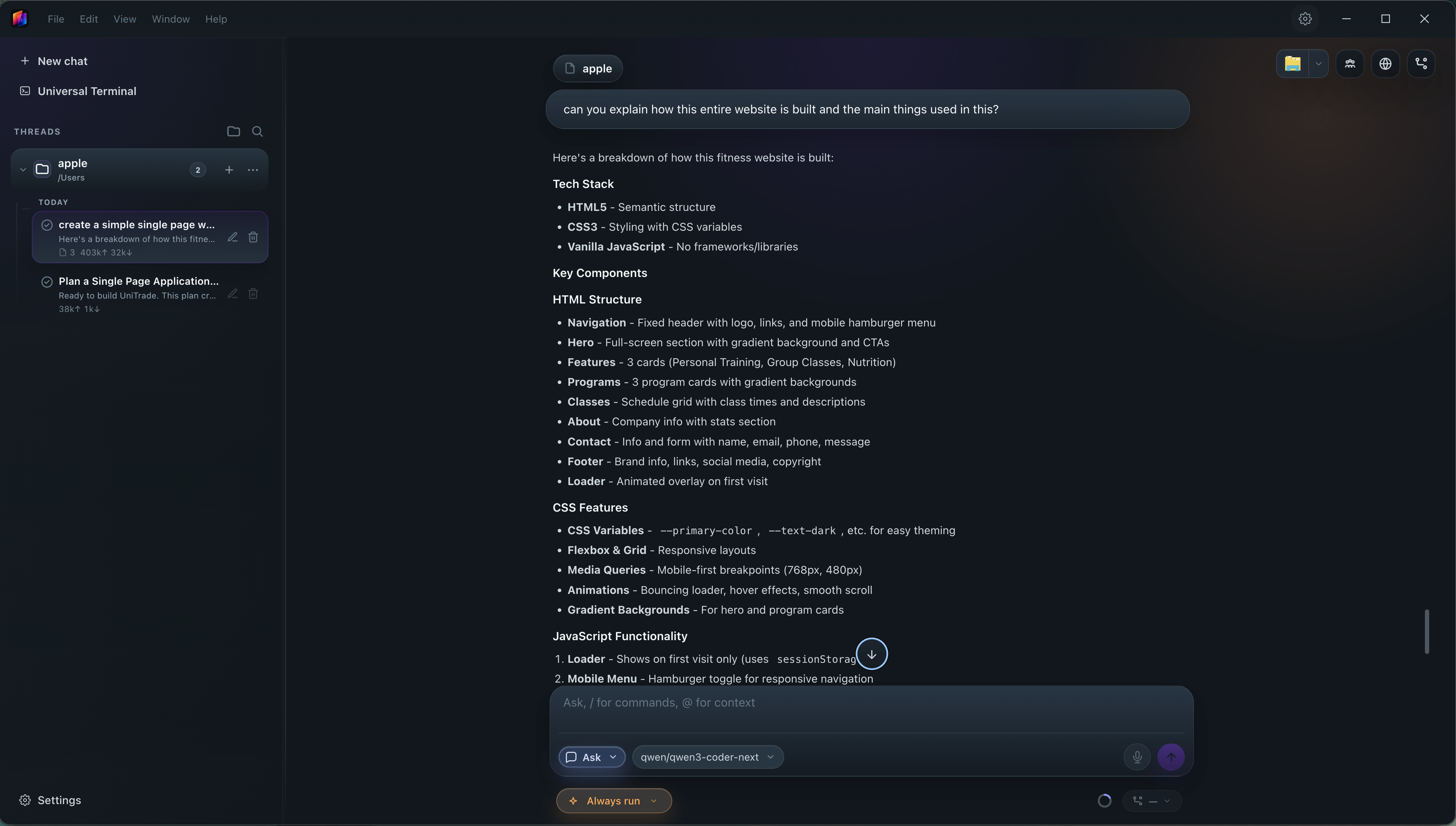
The Ask workflow acts as an inline mentor — it breaks down complex logic step by step, right where you're working.
What Ask is for
Understanding a confusing function or block of code
Learning why something works, not just that it works
Getting a step-by-step explanation without leaving the IDE
How to use it
Open the Ask workflow next to the code you're looking at.
Ask about the logic you want explained.
Follow the step-by-step breakdown.
Ask across the other workflows
Ask pairs well with every other workflow — explain a Plan, clarify an Agent change, walk through a Team data flow, or understand a Debug fix.
Was this helpful?
Still need help? Ask the team