Exporting to GRT, PDF and JPEG
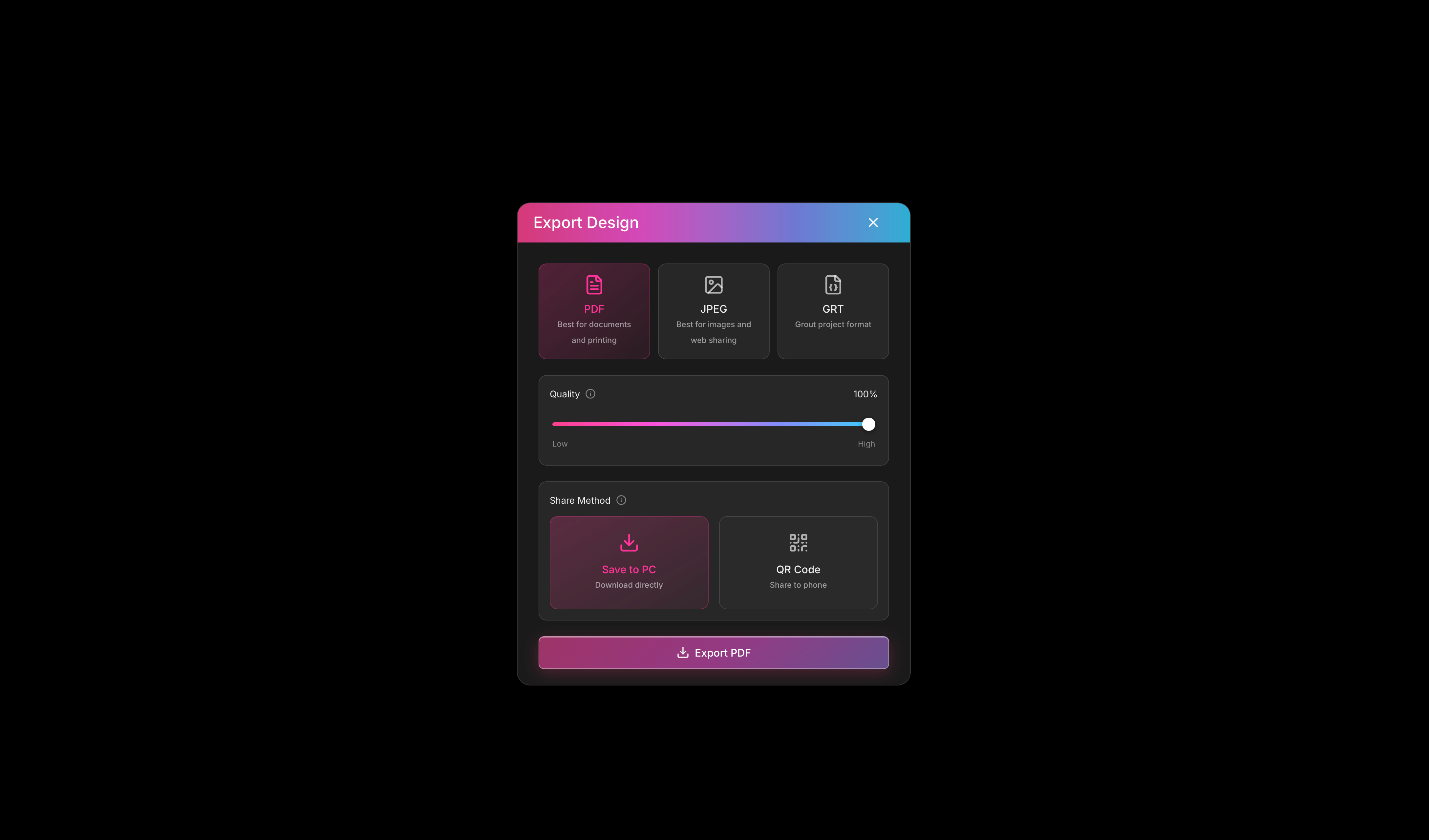
Export your canvas projects as PDF, JPEG files for revision or GRT files for sharing.
Written By Grout
Last updated 5 months ago
When a project is finished, Grout App lets you take it out of the canvas in standard file formats.
Export formats
PDF & JPEG — best for revision and for a fixed, shareable copy.
GRT — best for sharing with others who need an editable document(Can only be edited using Grout App).
How to export
Open the project you want to export.
Choose the export option.
Select GRT, PDF or JPEG.
Save the file to your computer.
Which format to choose
Revising for an exam? Export a PDF or JPEG.
Sending work to a colleague or student who needs to edit it? Export a GRT.
Want to present live instead of sending a file? Use Present Now — see Presenting your work with Present Now.
Was this helpful?
Still need help? Ask the team