Unified one-click sign-in across the Grout ecosystem
How one Grout license signs you into App, Code, and Film with OTP-based sign-in.
Written By Grout
Last updated 4 months ago
The Grout ecosystem — Grout App, Grout Code, and Grout Film — shares a unified sign-in. One license, tied to one email, signs you into all three apps.
How sign-in works
Grout uses OTP-based sign-in — there is no password to remember or update. When you sign in to any Grout app:
Enter the email address linked to your Grout license.
Grout sends a one-time password (OTP) to that email.
Enter the OTP to sign in.
The same email works across Grout App, Grout Code, and Grout Film. You stay signed in on each app once verified.
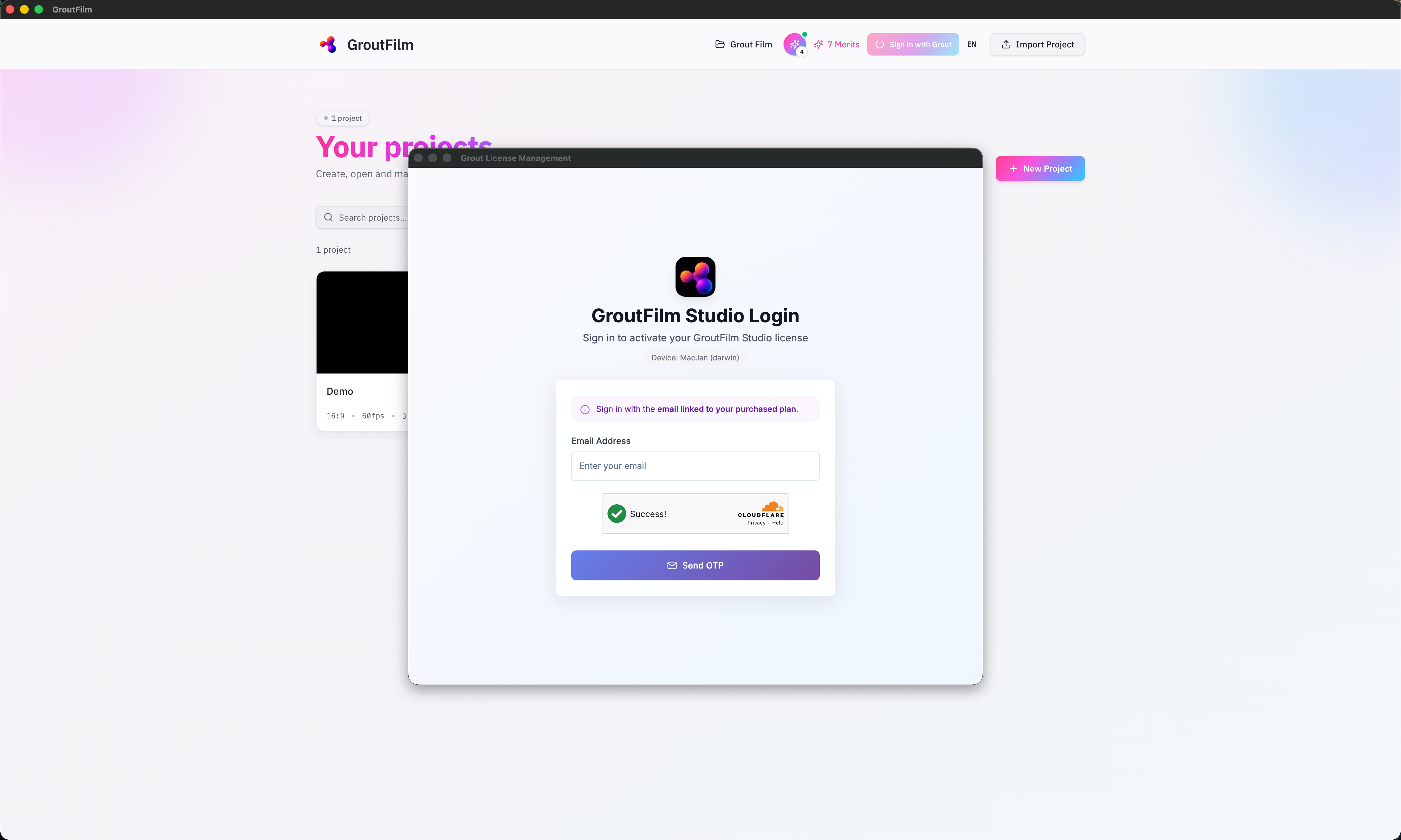
Your email is your license
The email you used when purchasing your Grout license is your account identifier. For this reason, your email address cannot be changed — it's permanently linked to your license.
If you have access to the wrong email or need help, contact the distributor you purchased your license from.
No password to manage
Because Grout uses OTP, there is nothing to change, reset, or remember. Each sign-in just needs access to the email on your license.
Where account management lives
Sign-in happens inside each app. Everything else — your profile, billing, Merits, invoices, devices, and license renewal — is managed on your distributor web portal, not inside the apps. See Managing billing and subscriptions.
Related
See Managing your account settings and Billing & subscriptions.
Was this helpful?
Still need help? Ask the team