Managing billing and subscriptions
Manage your license, Merits, invoices, and devices on your region-specific distributor portal.
Written By Grout
Last updated 4 months ago
All billing, subscriptions, Merit top-ups, profile, invoices, and device management for the Grout ecosystem happen on your distributor web portal — not inside the Grout apps.
Where to manage everything
Visit the region-specific distributor URL you used when you purchased your Grout license. For example: distributor.grout.app.
The exact subdomain depends on your region and the distributor you bought from — use the link from your purchase confirmation or your distributor.
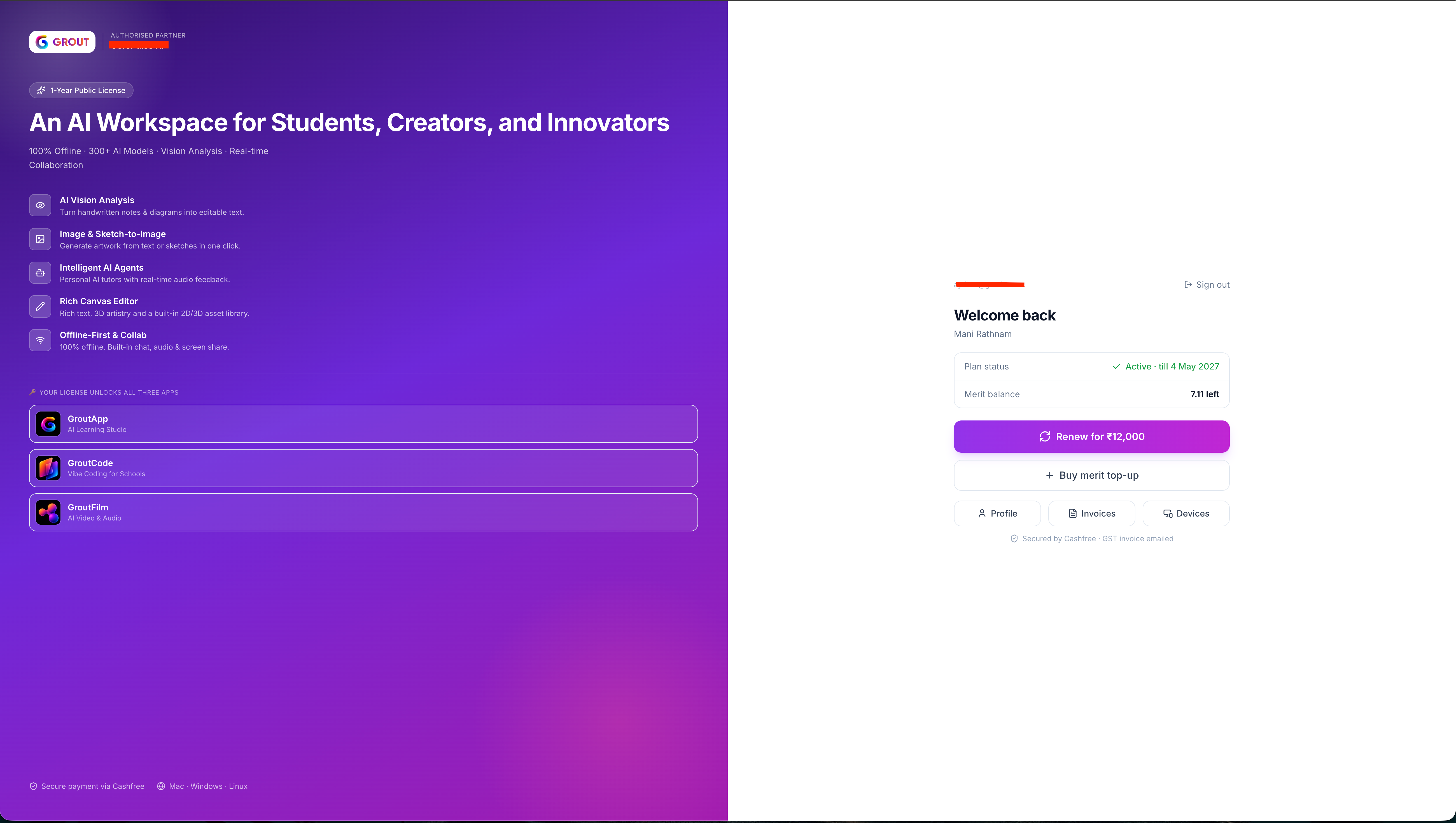
What the portal lets you do
View plan status & expiry — see whether your license is active and when it ends.
Renew your license — extend your access for another term.
Buy a Merit top-up — add Merits whenever you need more. See Understanding and managing Merits.
View & edit your profile — update your name and profile info.
View invoices — access past invoices, including GST invoices for supported regions.
Manage devices — see which devices have signed in.
Sign out.
What you can't change
Your email address cannot be changed, because it's permanently tied to your Grout license. See Unified one-click sign-in across the Grout ecosystem.
Payments & invoices
Payments on the distributor portal are processed by a secure regional payment provider (for example, Cashfree in supported regions). For GST-applicable purchases, a GST invoice is emailed to you automatically, and is also accessible from the Invoices section of the portal.
One license, three apps
Your Grout license unlocks all three apps — Grout App, Grout Code, and Grout Film. You don't manage them separately.
Related
For credits used by cloud AI models, see Understanding and managing API credits.
Was this helpful?
Still need help? Ask the team