Getting started with the AI teacher
Build your learning profile, prepare lessons and join your first live lesson.
Written By Grout
Last updated 20 days ago
The AI teacher is a live, voice-first teacher. It talks with you, draws on a whiteboard, hands you the pen, watches your camera if you allow it, and checks your understanding at the end of every topic.
Open Alpha Learning → AI teacher (titled Adaptive teacher).
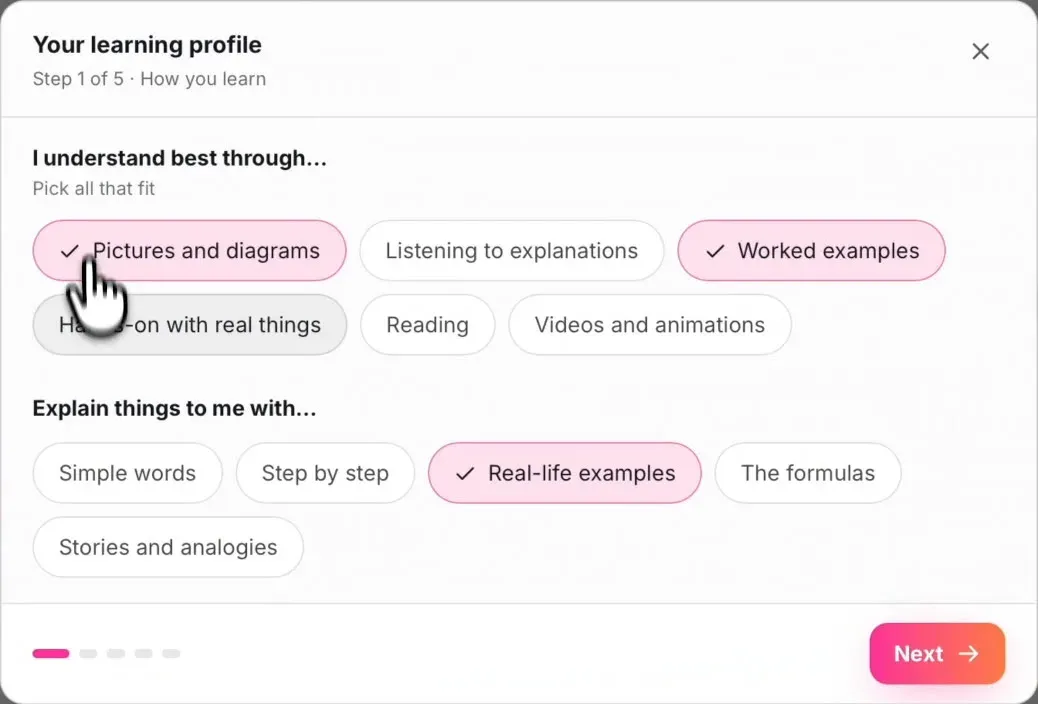
1. Build your learning profile
Press Build my profile. Five short steps: how you learn, pace and focus, what you enjoy, what is hard, and your teacher. The teacher uses this in every lesson.
2. Prepare the lessons
Under Lesson preparation, press Prepare lessons. Grout reads the whole course and gets each lesson ready: what to teach, a task on paper and a short quiz at the end.
Prepare with: Grout Cloud (uses Merits), My Google key or My other AI key (no Merits).
Add pictures to lessons adds prepared pictures for each topic (uses Merits). Use Change picture model to pick the model.
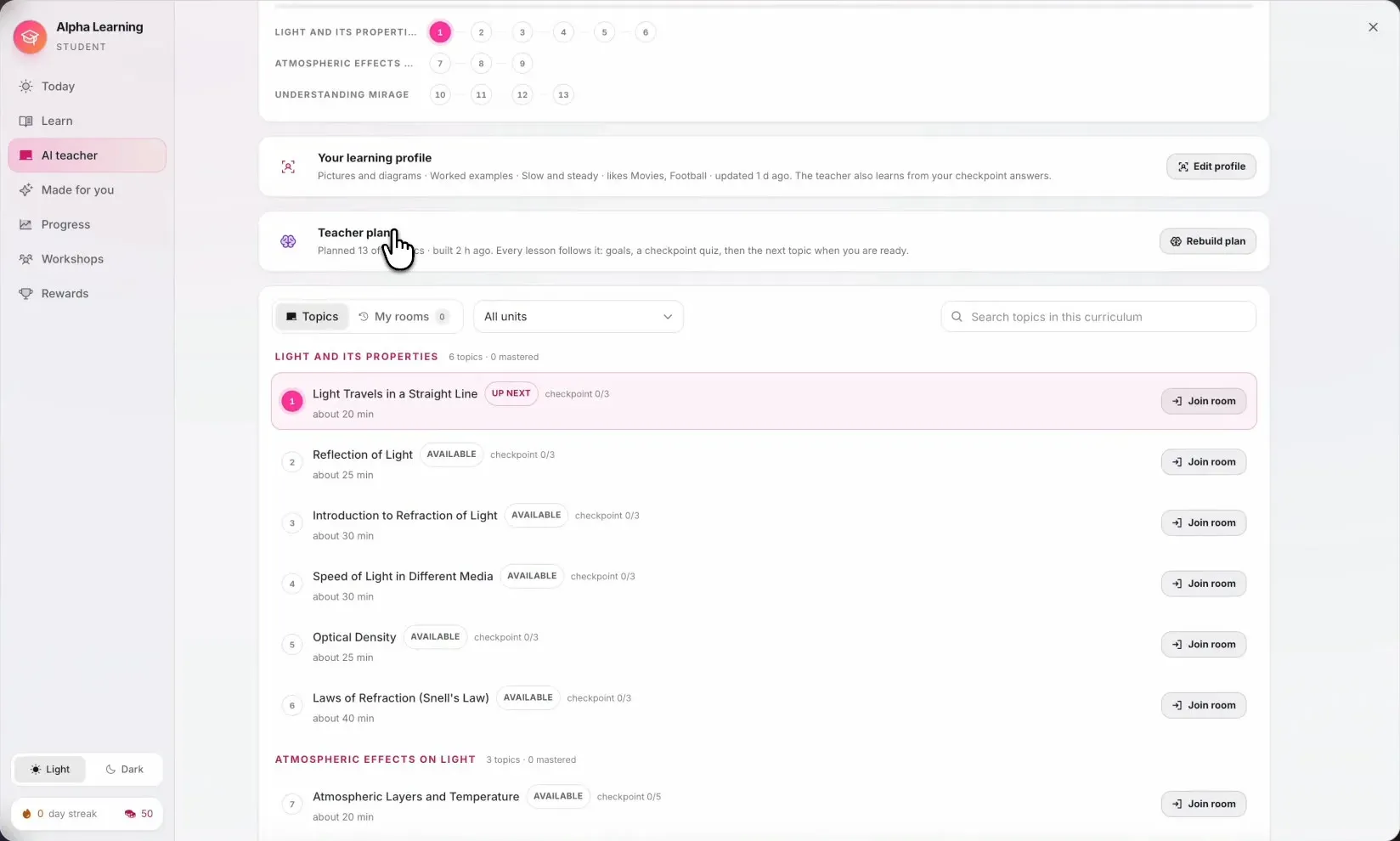
3. Join a lesson
Choose a curriculum and press Start course (or Continue course).
Or open a topic and press Join room.
Allow the microphone. The camera is optional.
You need a microphone and an internet connection.
Related
Inside an AI teacher lesson
AI teacher time, Merits and your own Google key
Show me your notes: marking your notebook pages
Was this helpful?
Still need help? Ask the team