Inside an AI teacher lesson
Talking, the whiteboard, your turn to draw, checkpoints and lesson settings.
Written By Grout
Last updated 20 days ago
Talking
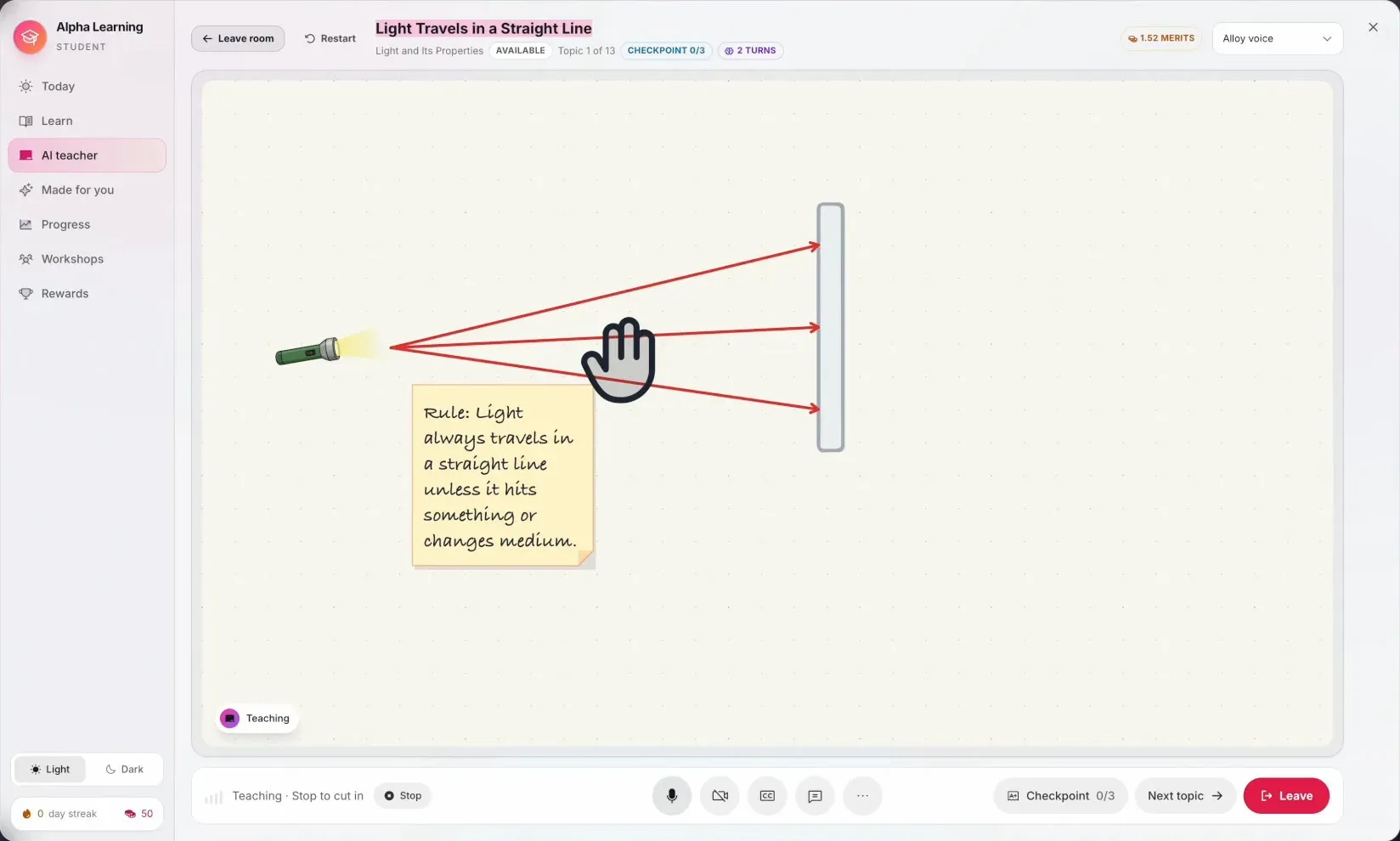
Speak naturally and interrupt any time. The teacher explains, asks questions and adapts to your answers.
The whiteboard
The teacher draws as it explains. When it says Your turn to draw, draw on the board and press Done.
Camera
Choose Show it on camera to hold up your work or an object.
Checkpoints
Every topic ends with a Checkpoint: choose one, write, draw, show it on camera or Show me your notes. Get one wrong and the teacher goes back to the board with you.
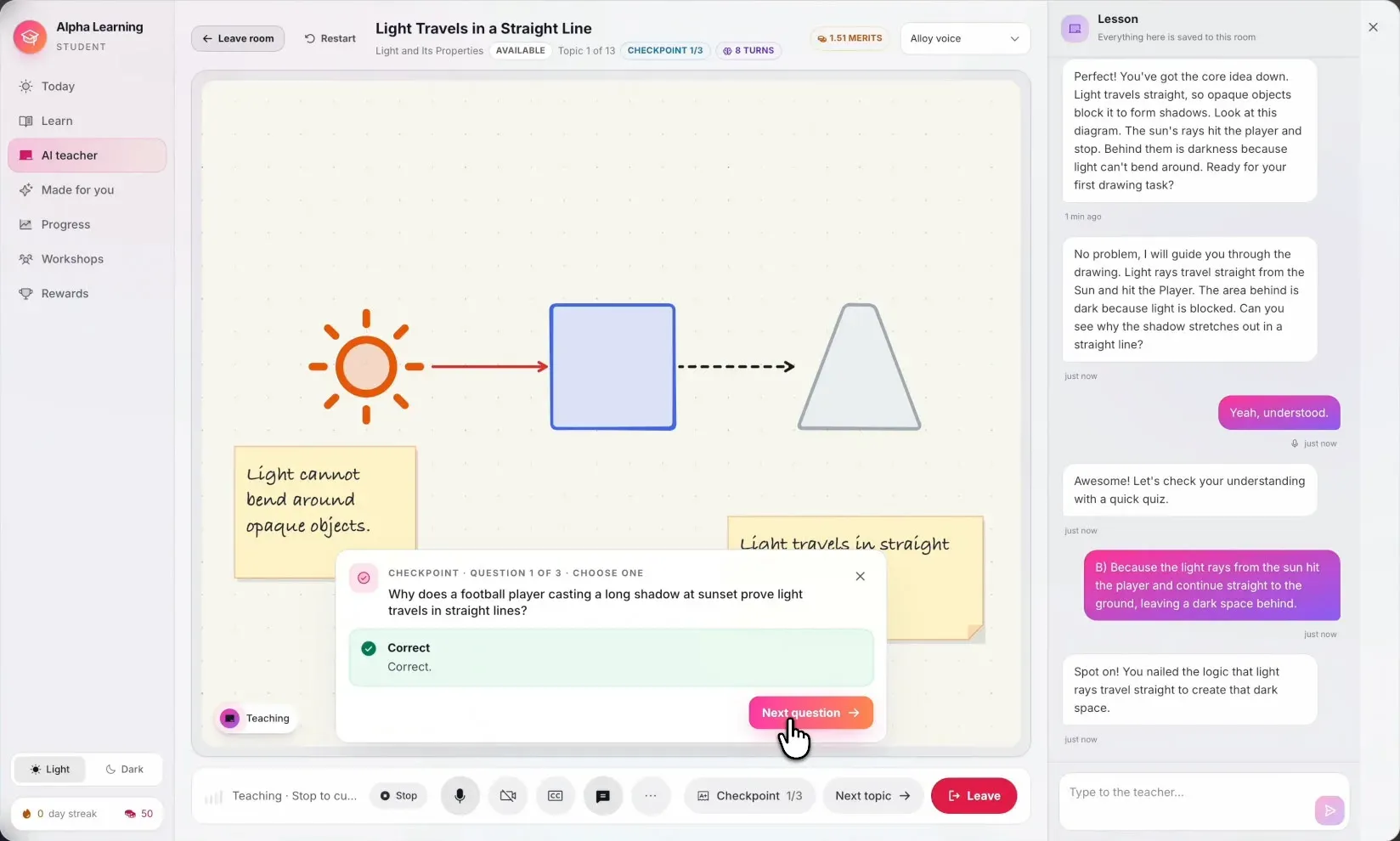
Move on with Next topic, or press Leave.
Lesson settings (More menu)
Lesson language – keeps the teacher in your language.
Noise cancellation and Quiet room / Noisy room – for background noise.
Headphones: let me talk over the teacher.
Let me draw on the whiteboard and Clear the whiteboard.
Captions and lesson chat.
Keep teaching when I am quiet.
Rooms and memory
The teacher remembers every lesson in a room. Rooms have Restart and Delete. Reset learning resets the whole course; tick Keep the prepared lessons to avoid preparing again.
The course's book
Attach textbook and workbook chapters from AI Memory under The course's book. The status goes Waiting → Reading → Looking at figures → Matching topics → Ready. The teacher then teaches from the book and puts its figures on the board.
Troubleshooting
The teacher switches language: set Lesson language.
Noise cuts in: turn on Noise cancellation or Noisy room.
The live teacher is not available right now: try again later, or use your own Google key.
Old plans after editing the course: press Prepare again.
Was this helpful?
Still need help? Ask the team