Alpha Learning: overview for students, teachers and admins
What Alpha Learning is, who sees which tabs, and where to start.
Written By Grout
Last updated 20 days ago
Alpha Learning is the adaptive learning module inside Grout App. Teachers build or generate a curriculum, students learn it through a daily plan, practice, mastery checks and a live AI teacher, and admins see how the whole institution is doing.
Open it from the Alpha Learning tile on Home. Any signed-in account can use it.
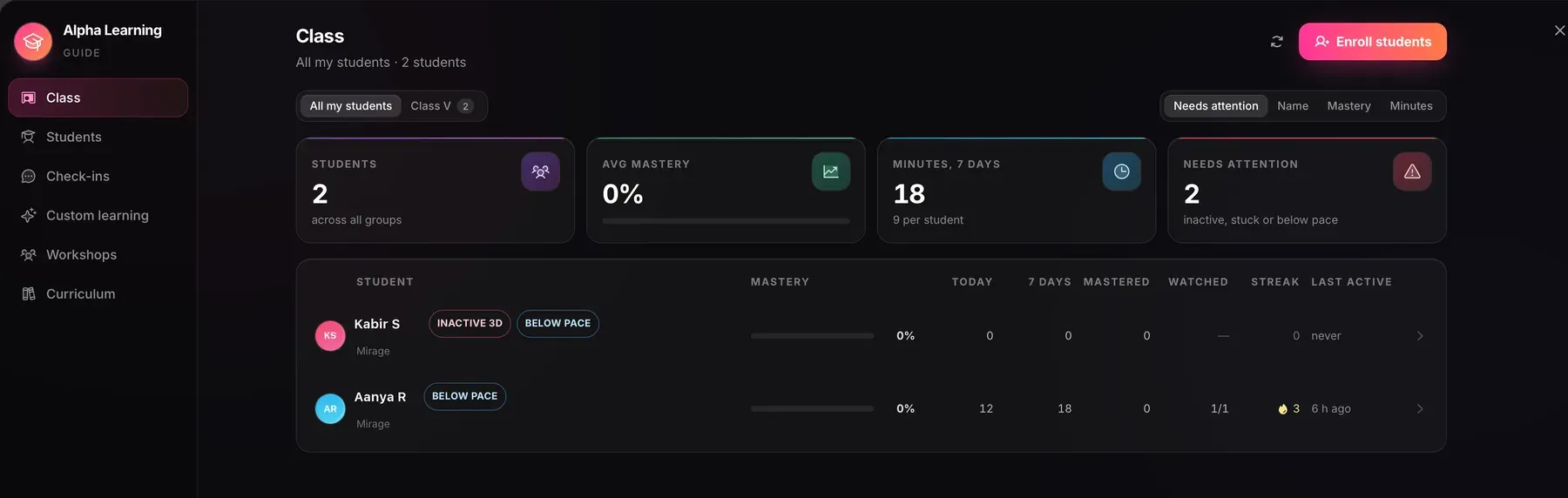
Tabs you will see
Students: Today, Learn, Progress, Workshops, Rewards, AI teacher, Made for you, My curricula.
Teachers (guides): Class, Students, Check-ins, Curriculum, Groups, Custom learning, Workshops.
Institution admins: everything teachers see, plus Settings and Reports.
Public self-learners: My curricula, Made for me, Goals, plus Today, Learn, Progress, Rewards and AI teacher.
The light/dark switch at the bottom of the left rail is the same setting as the sun/moon button in the top menu bar.
Where to start
Teachers: build a curriculum in the Curriculum studio, then publish it to your institution or to specific groups.
Students: open Today and press Start next block, or open AI teacher for a live lesson.
Public learners: create your own curriculum under My curricula, then publish it to your plan.
Related
Building a curriculum in the Curriculum studio
Getting started with the AI teacher
Custom learning: lessons rewritten for one student
Was this helpful?
Still need help? Ask the team