Getting started with circuit boards
Design a PCB with starters, the circuit board assistant, and the board, schematic and 3D views.
Written By Grout
Last updated 20 days ago
The Circuit board workspace lets you design real PCBs: code on the left, and Board, Schematic, 3D, Simulation and Parts views on the right.
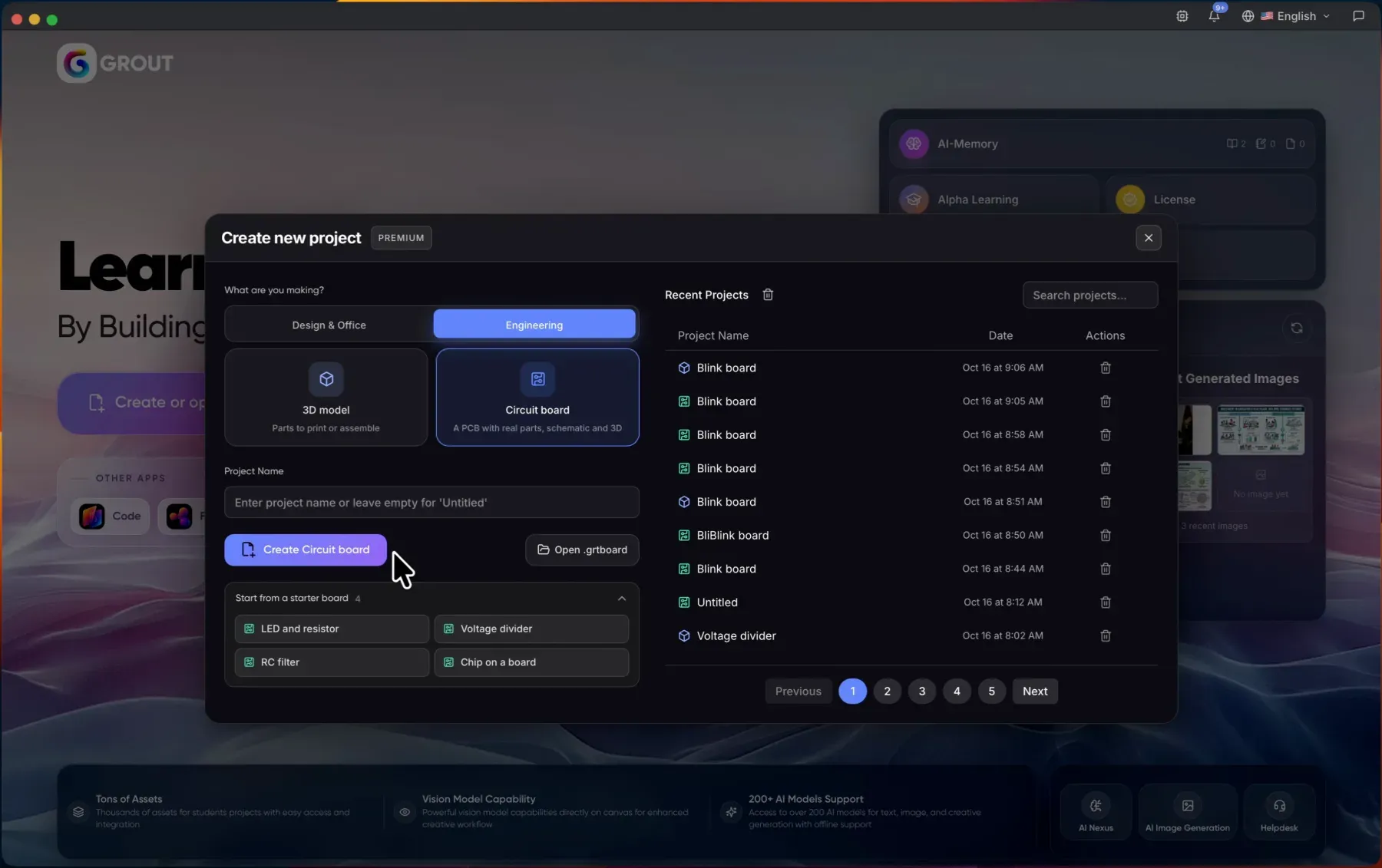
Create a board
On Home, press Create → Engineering → Circuit board, or open a
.grtboardfile.Pick a starter: LED and resistor, Voltage divider, RC filter or Chip on a board.
Ask the assistant
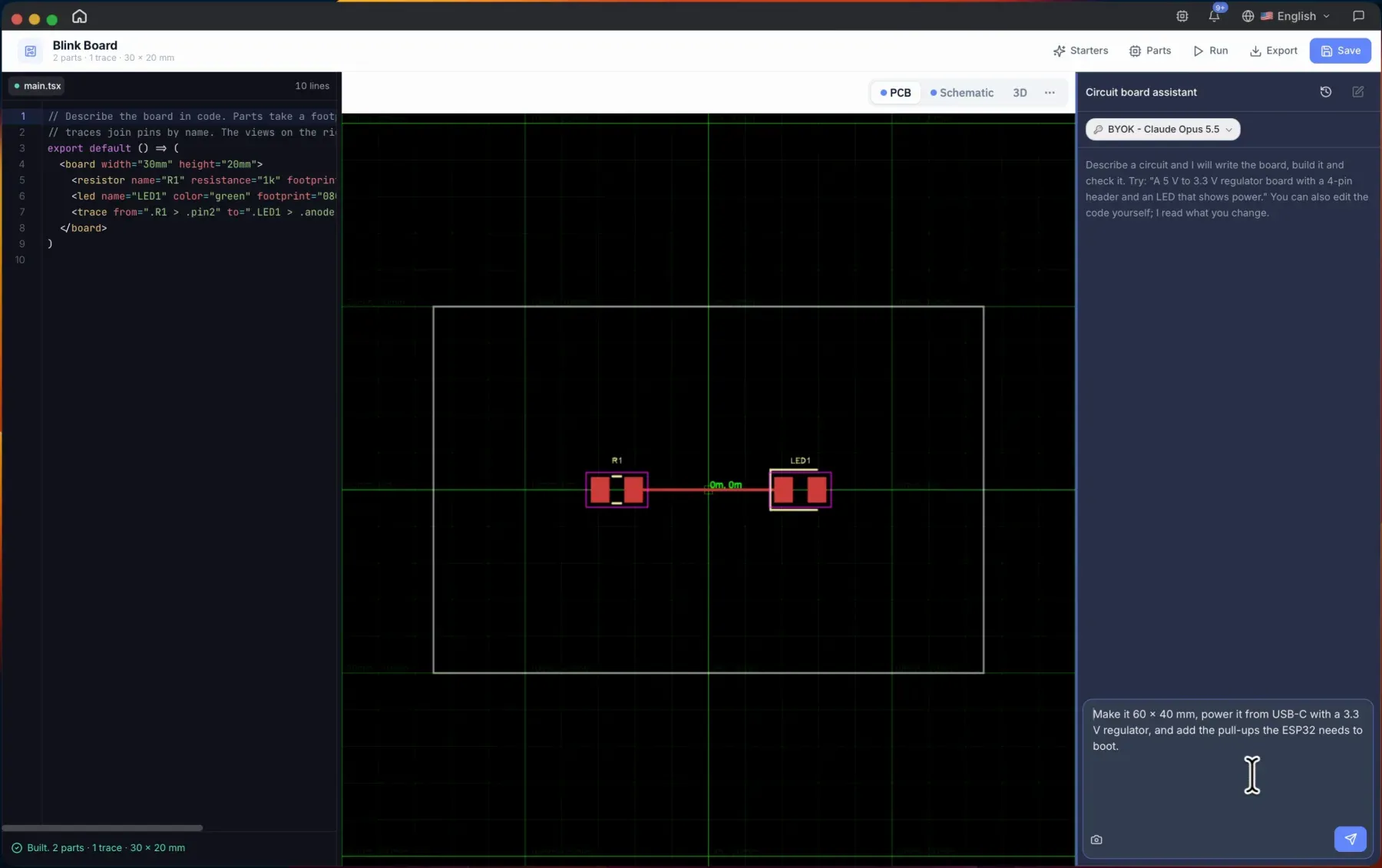
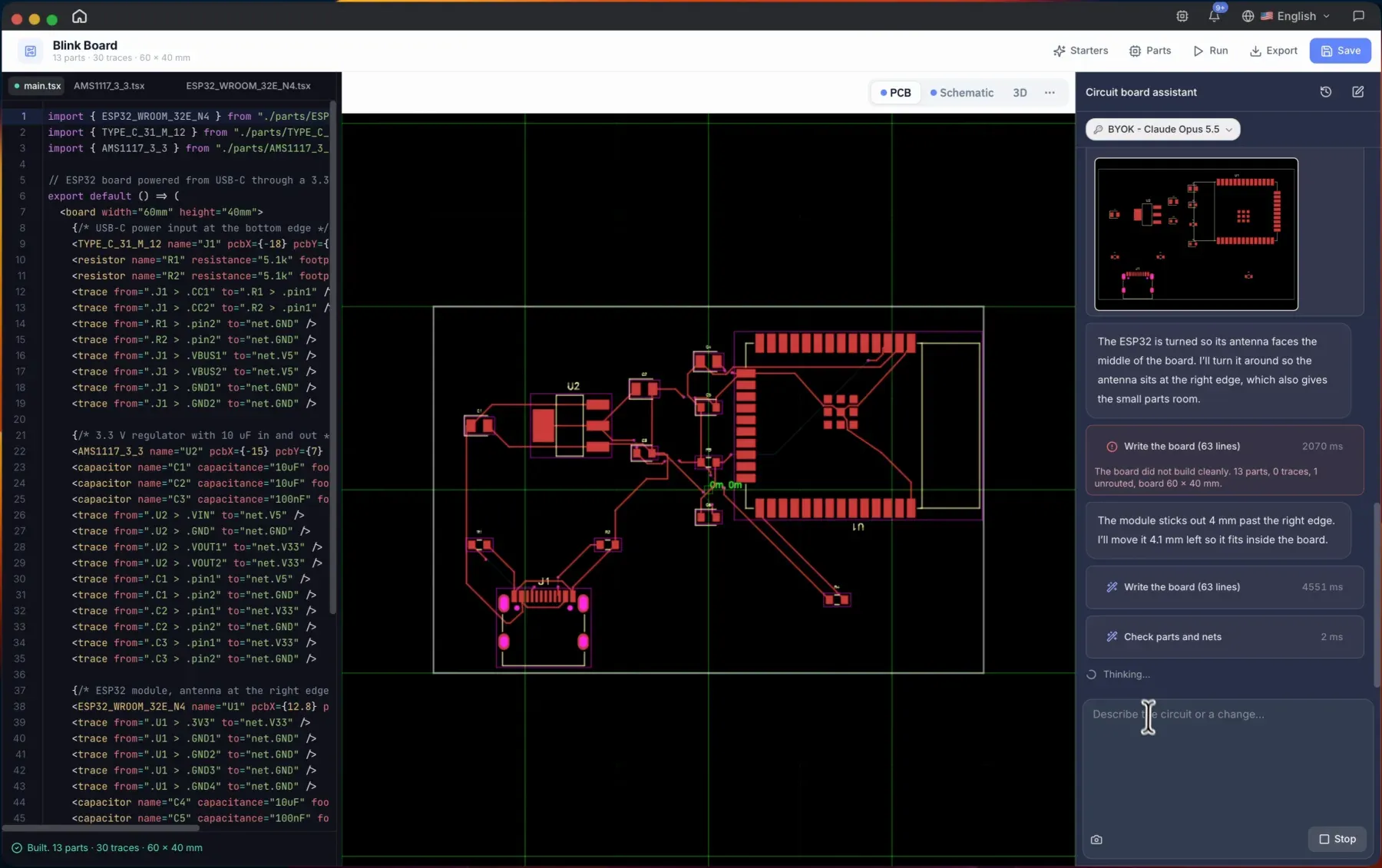
Describe the board in the Circuit board assistant, e.g. "A 5 V to 3.3 V regulator board with a 4-pin header and an LED that shows power." It writes the board, builds it, checks it and ends with a design review.
Views
Board – PCB layout and traces.
Schematic – the circuit diagram.
3D – the assembled board.
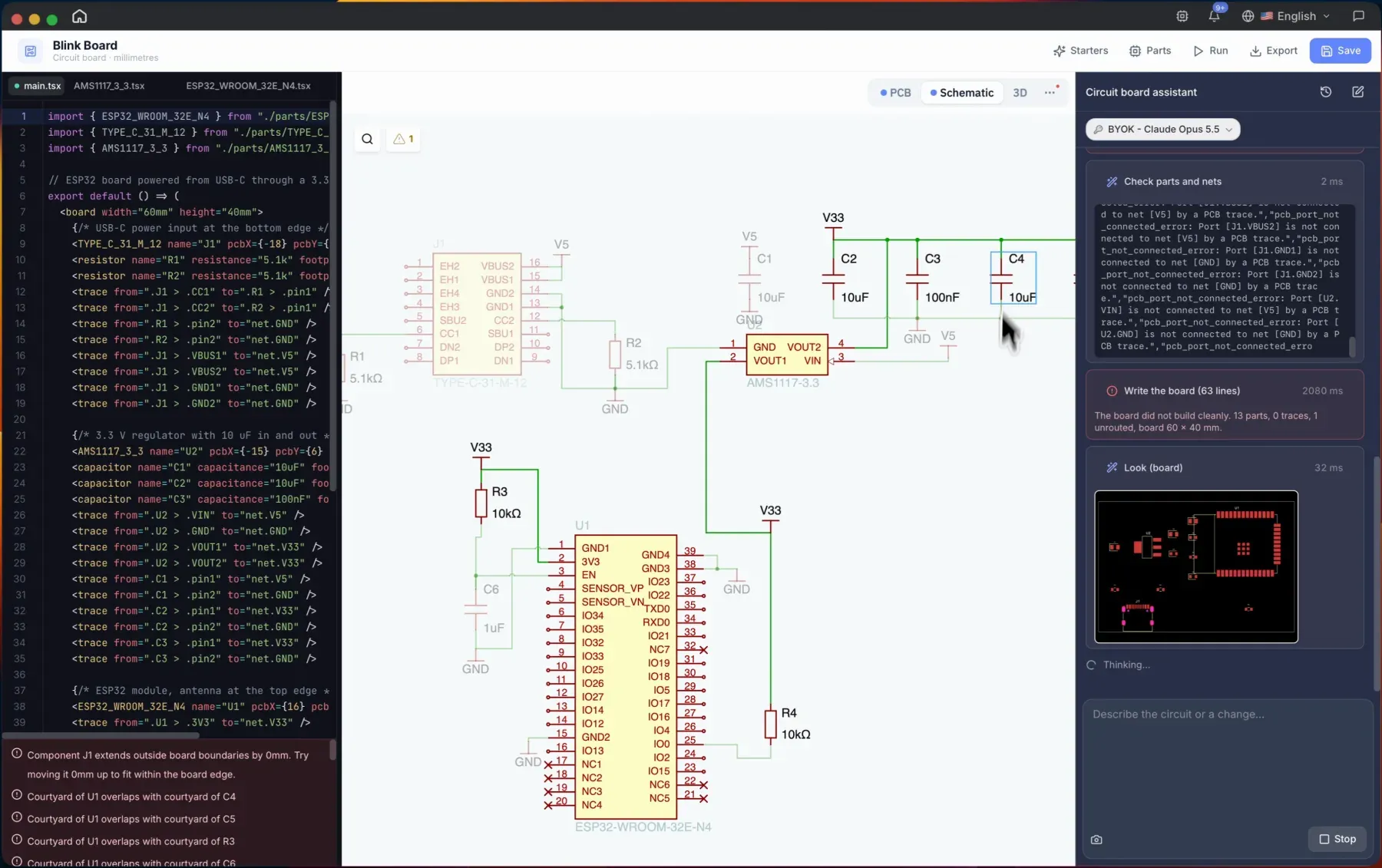
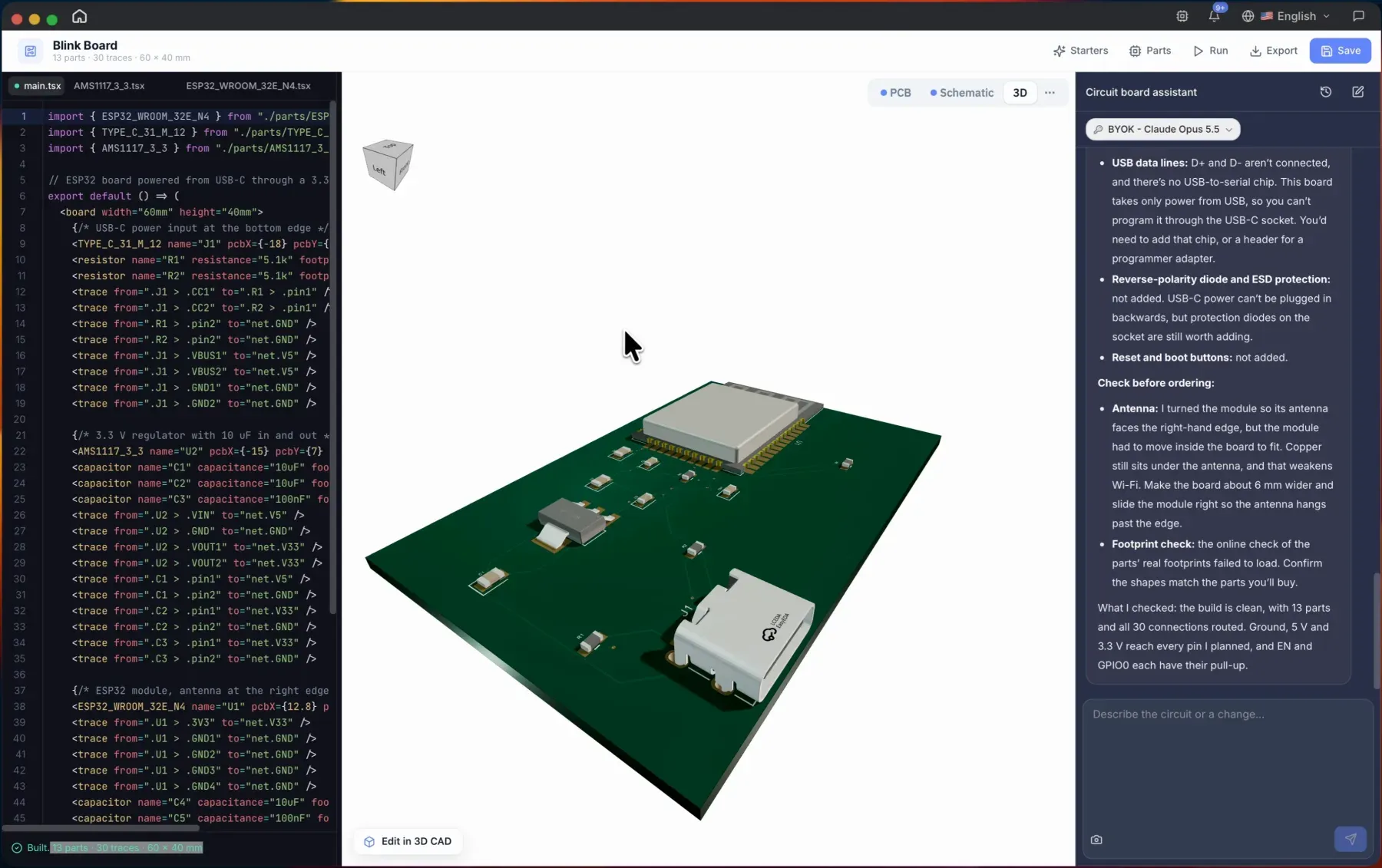
The board rebuilds as you type. Ctrl/Cmd+Enter builds now, Ctrl/Cmd+S saves. Errors are listed under the code.
Team size
Automatic (2–6 designers), One designer, or Up to N designers. See AI agent teams, messages while working and Token saver.
Costs
Same as 3D: Merits on Grout Cloud models, free with your own key or local models.
Was this helpful?
Still need help? Ask the team