The Draw-to-Image Engine
Turn rough sketches into high-fidelity, photorealistic images with a text prompt.
Written By Grout
Last updated 5 months ago
The Draw-to-Image Engine turns a rough sketch into a polished, high-fidelity image — no drawing skill required.
How it works
Sketch a rough, simple outline directly on the canvas.
Add a text prompt describing what the sketch should become.
Run the Draw-to-Image Engine — it renders your sketch into a high-fidelity, photorealistic image or asset instantly.
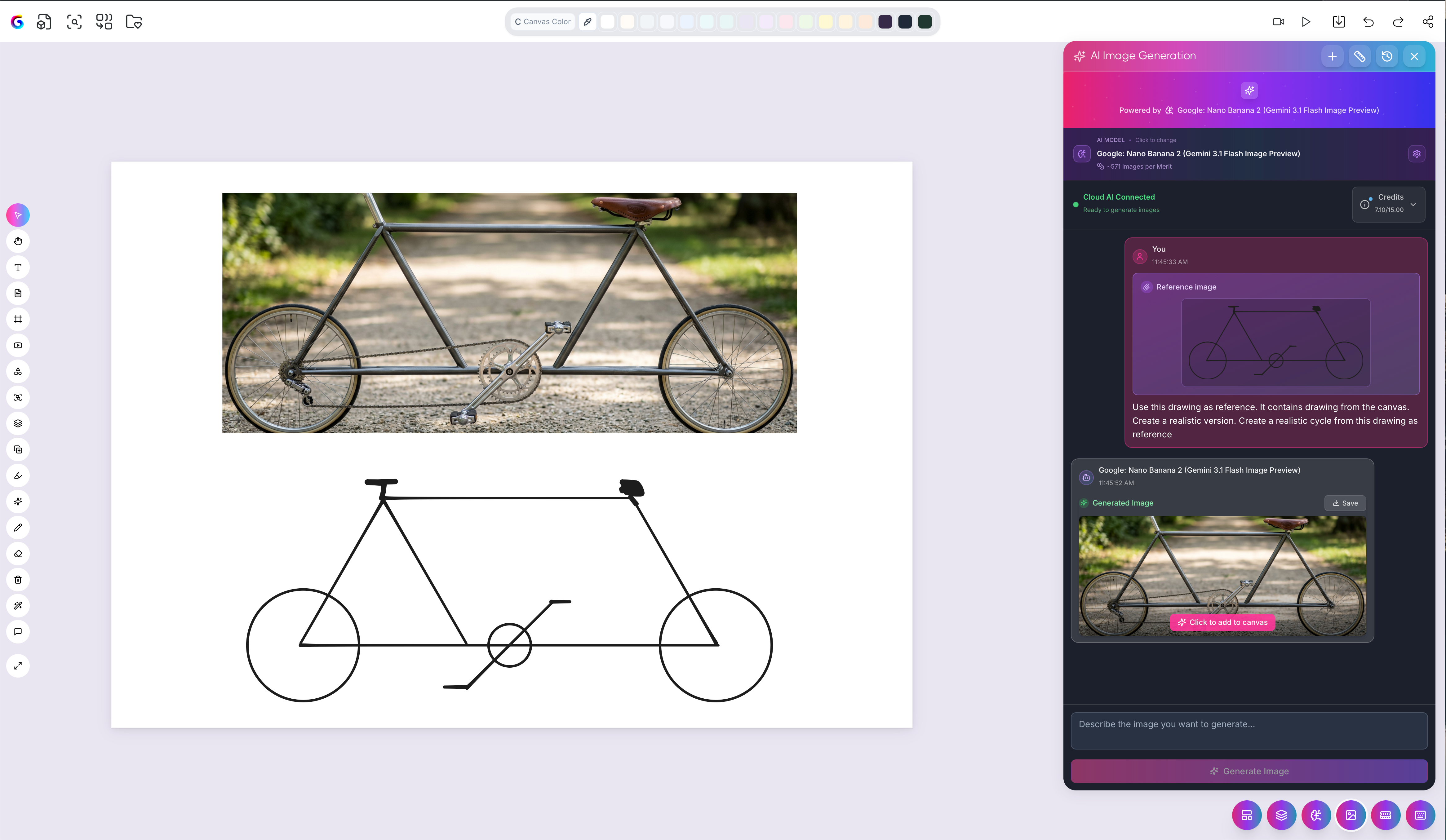
What you can make
Photorealistic images from simple outlines
Visual assets for projects and teaching materials
Illustrations to accompany notes and explanations
Tips for better results
Keep the sketch simple — it only needs to convey the rough shape and layout.
Be specific in the text prompt about style, detail, and content.
Re-run with an adjusted prompt to refine the output.
Note on accountability
The sketch you drew is captured in the Transparency Dashboard, so the path from your rough idea to the finished image stays visible. See The Transparency Dashboard.
Was this helpful?
Still need help? Ask the team