Context-Locked Prompting with @ mentions
Use the @ symbol to force AI answers to come only from your uploaded materials.
Written By Grout
Last updated 5 months ago
Context-Locked Prompting is one of the most important features in Grout App. It forces the AI to answer strictly from your materials — eliminating generic internet answers and hallucinations.
How it works
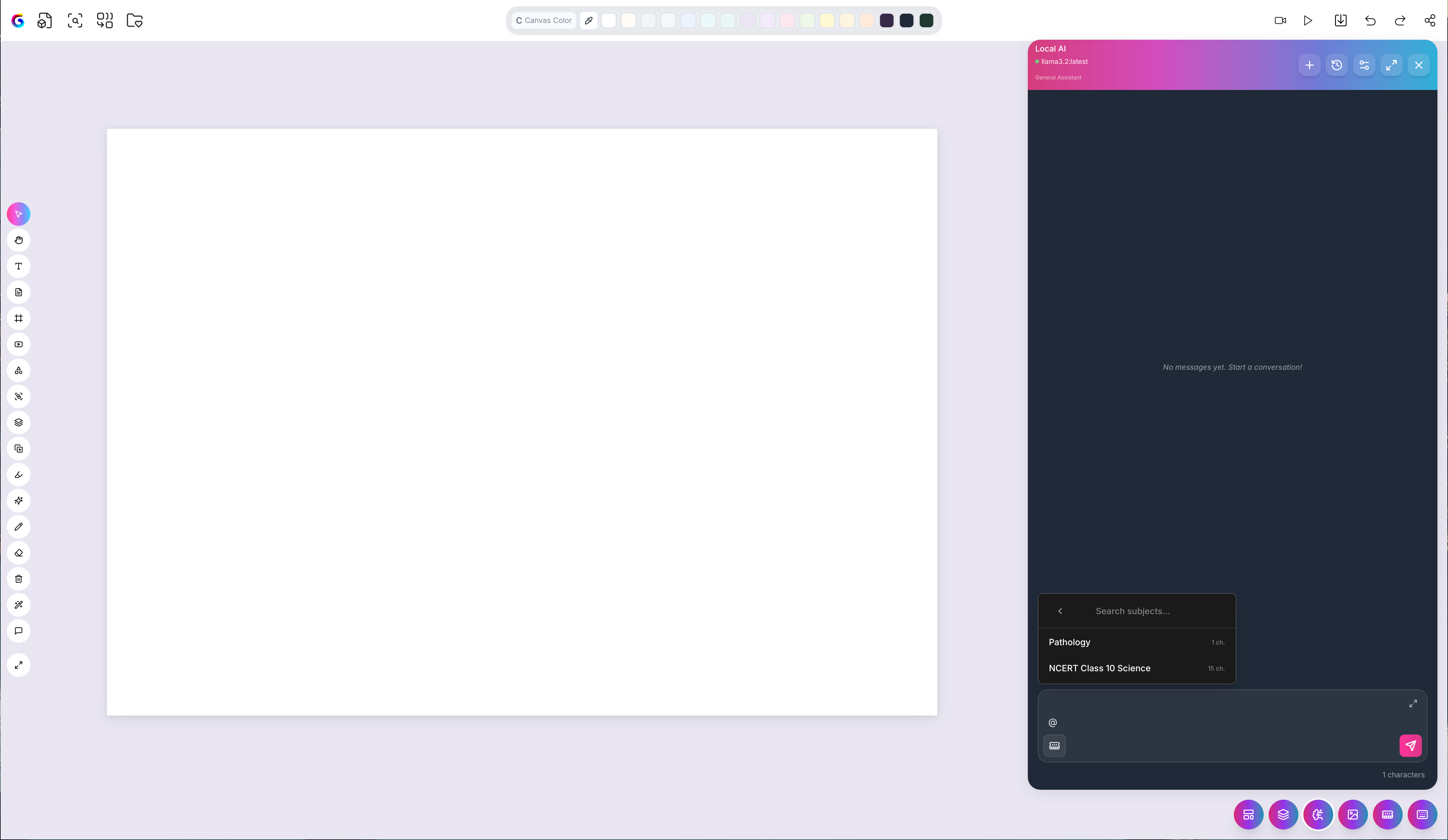
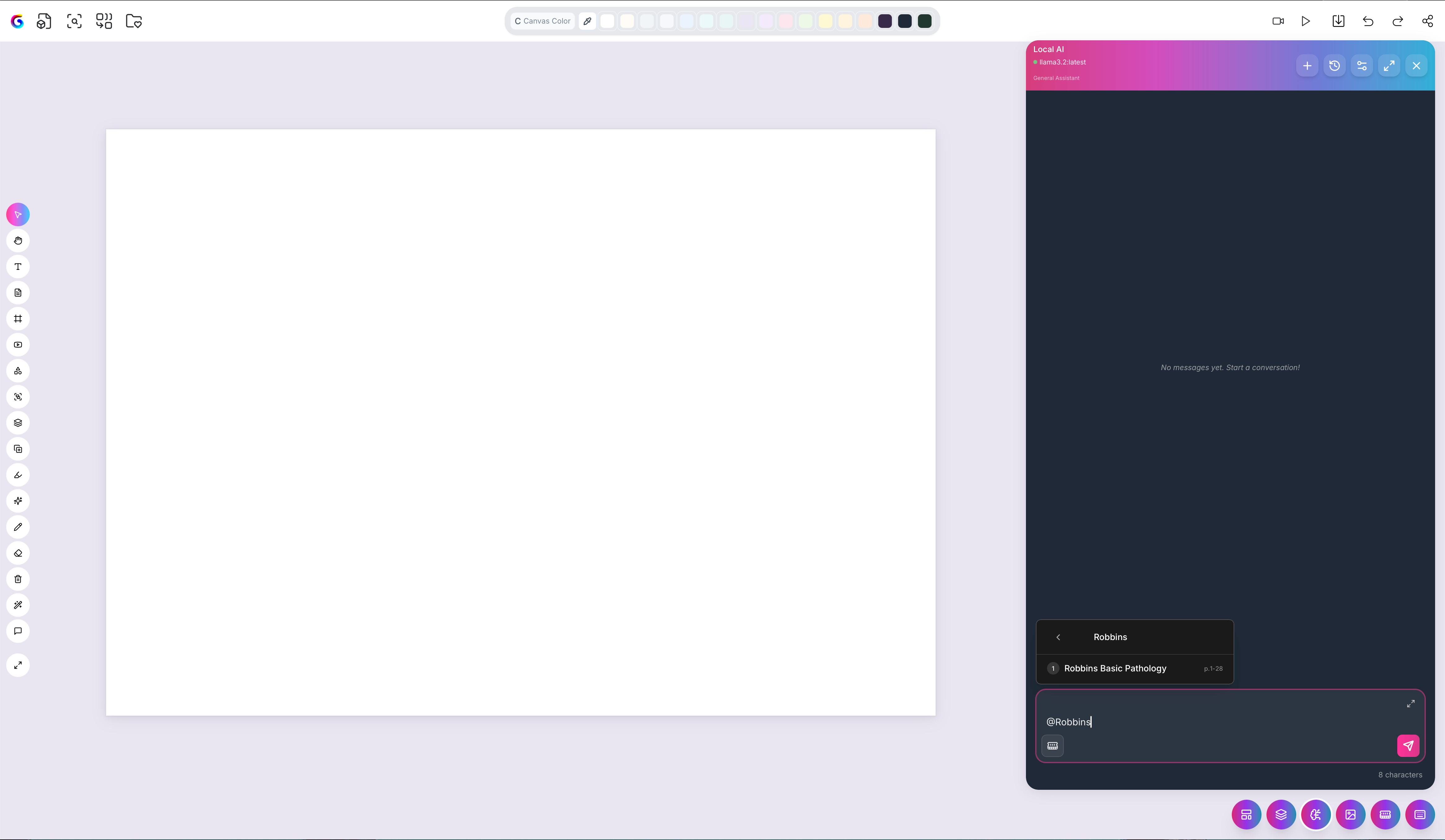
Type the @ symbol in a prompt to summon a specific file from your AI-Memory. For example, typing @RobbinsPathology pulls that document into the prompt's context.
What it does to the answer
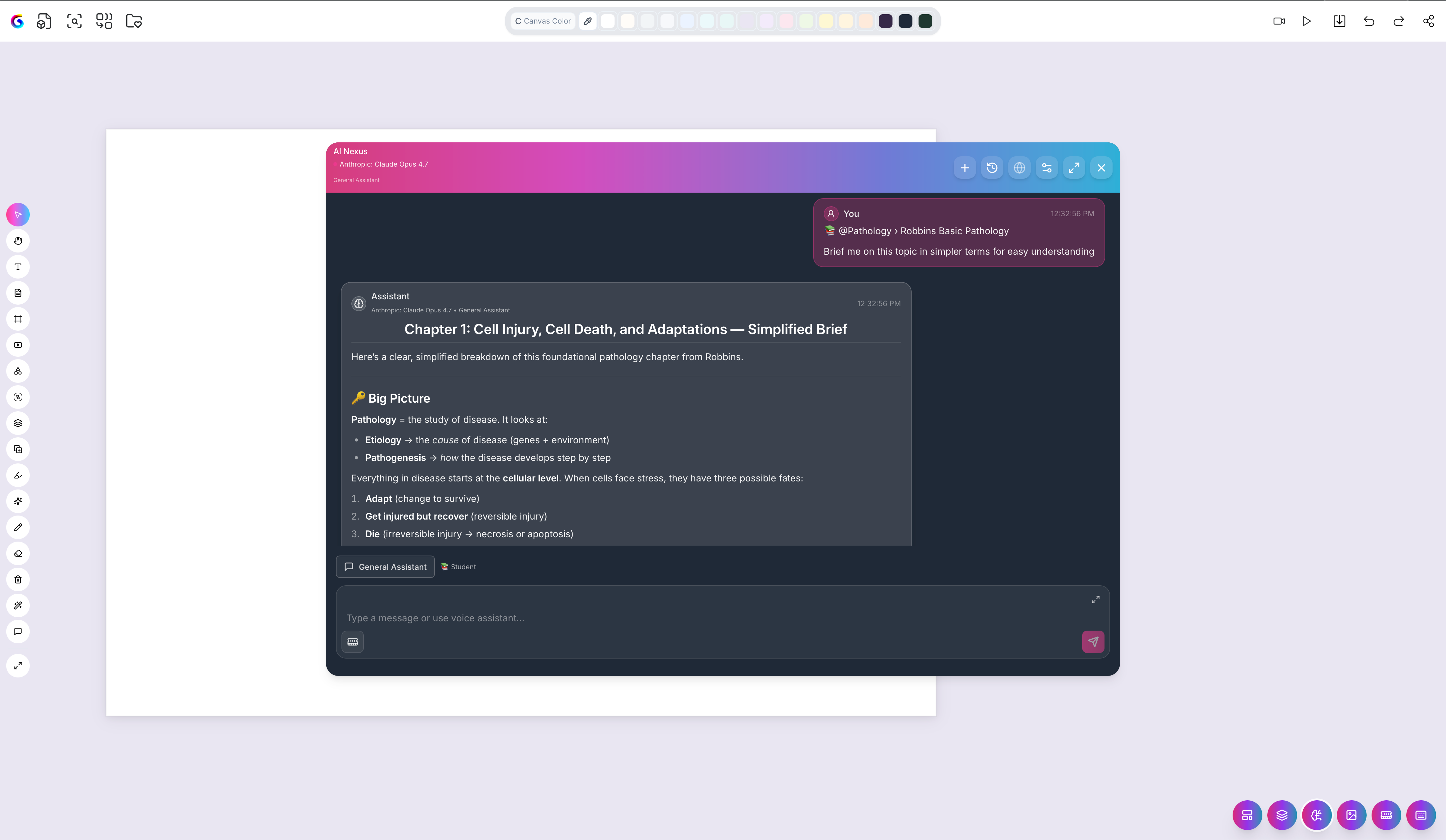
Once a file is mentioned, the AI generates its answer, summary, or lesson plan strictly from that uploaded context. It will not fall back on generic web knowledge for that material.
Step by step
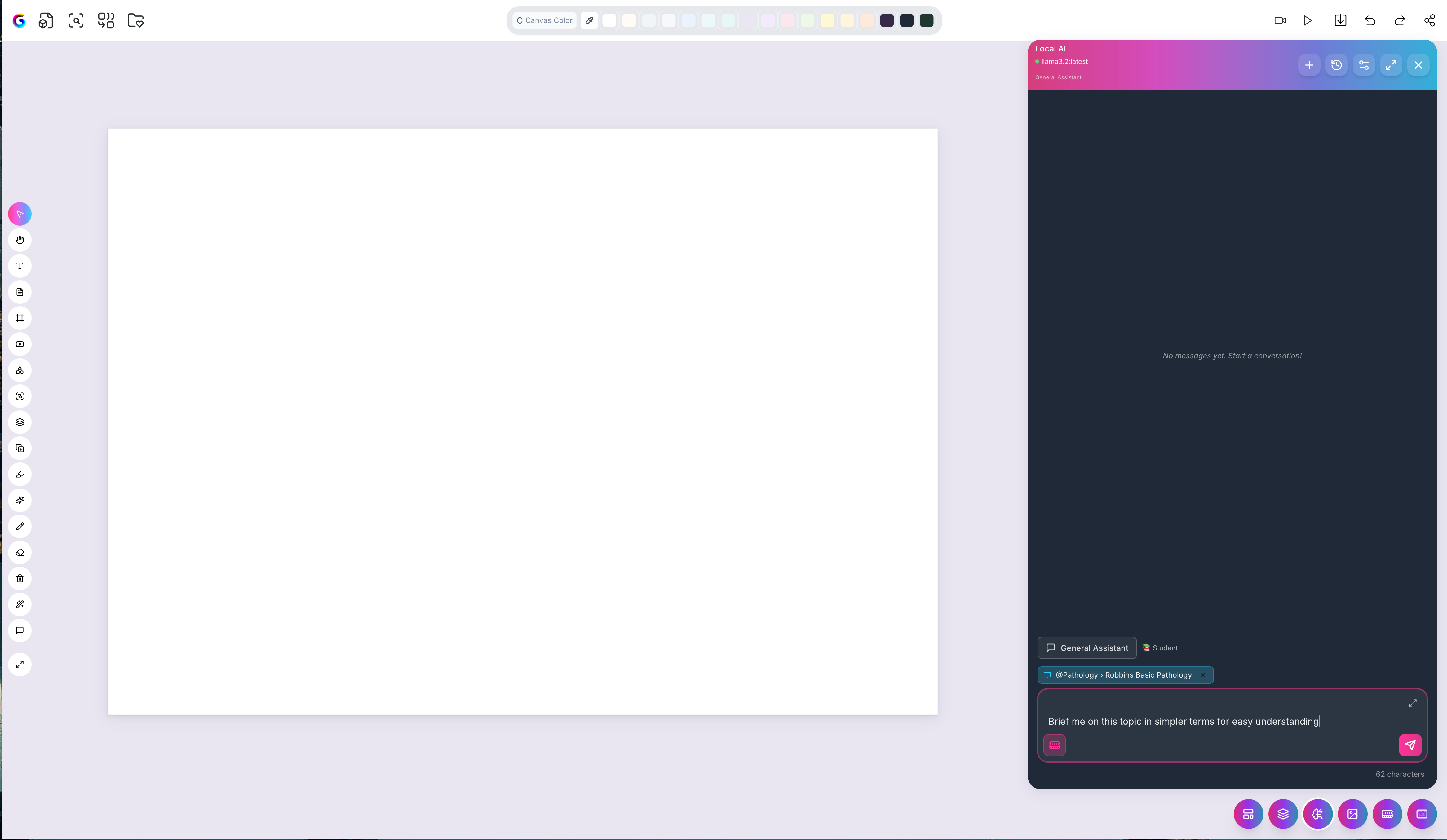
Start typing your prompt on the canvas.
Type
@— a menu of your AI-Memory files appears.Select the file (or files) you want the answer locked to.
Finish your prompt and run it.
Why use it
Accuracy — answers reflect your syllabus, not the internet's version.
Trust — no hallucinated facts from unknown sources.
Relevance — summaries and lesson plans match exactly what you're studying or teaching.
Tips
Mention more than one file to ground an answer in several sources at once.
Keep your AI-Memory well-stocked so the right context is always available to mention.
Was this helpful?
Still need help? Ask the team