Switching between 300+ AI models
How to change models and compare how different AIs reason through the same problem.
Written By Grout
Last updated 5 months ago
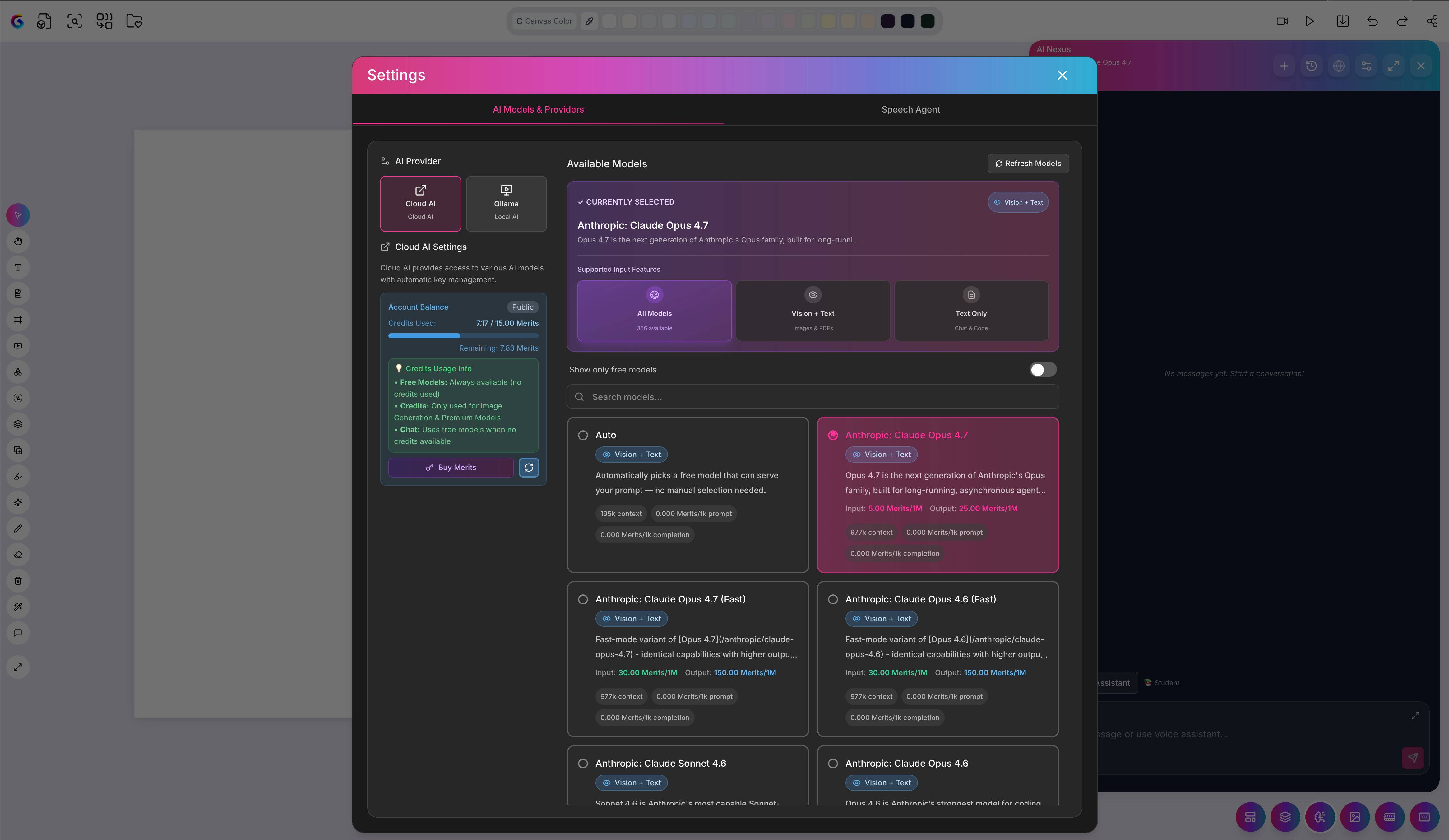
Grout App is an agnostic platform — it does not lock you into a single AI model. You can switch seamlessly between more than 300 cloud AI models, including those from OpenAI, Anthropic, Google Gemini, and others.
Why switch models
Different models reason differently. By running the same prompt through several of them, you can see how each one approaches a problem — which is part of learning AI by doing rather than treating it as a black box.
How to switch models
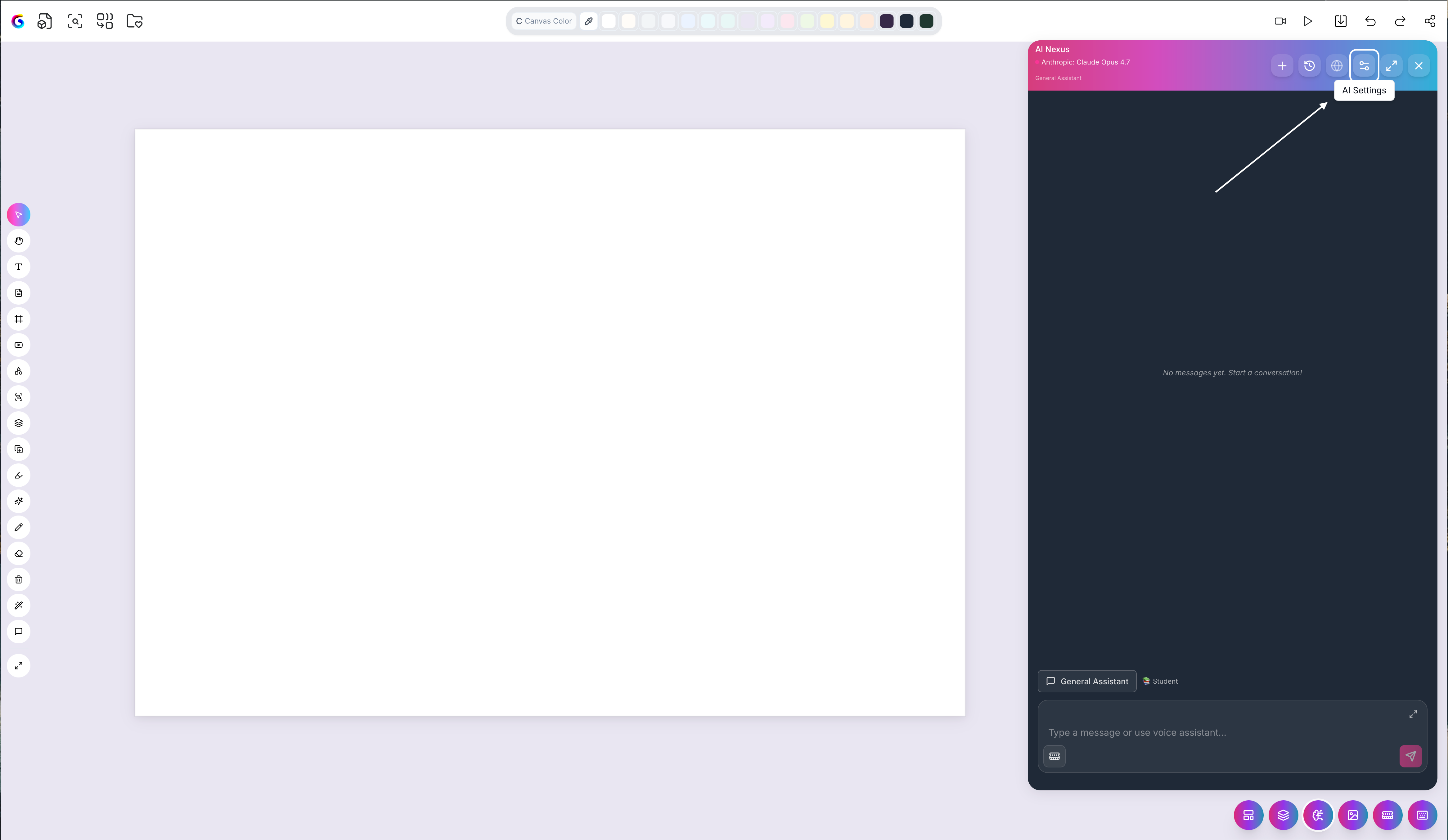
Open the model selector in your AI tool on the canvas.
Browse or search the available models.
Select a model — your next prompt runs on it.
Comparing reasoning
A useful workflow: ask the same question, switch the model, and ask again. Place the answers side by side on the canvas to compare how each model handled it.
Cloud vs Local
The 300+ models are cloud models. For sensitive material you can instead run a model entirely on your own machine — see Using Local AI for privacy.
Was this helpful?
Still need help? Ask the team