Scanning notes from your phone with a QR code
Send photos of physical textbooks, handwritten notes, and whiteboard sketches straight to your canvas.
Written By Grout
Last updated 5 months ago
Not all of your material is digital. Grout App lets you send photos from your phone's camera directly into your desktop AI-Memory over Wi-Fi — no cables, no email-to-self.
What you can scan
Pages from physical textbooks
Handwritten notes
Whiteboard sketches and diagrams
How phone scanning works
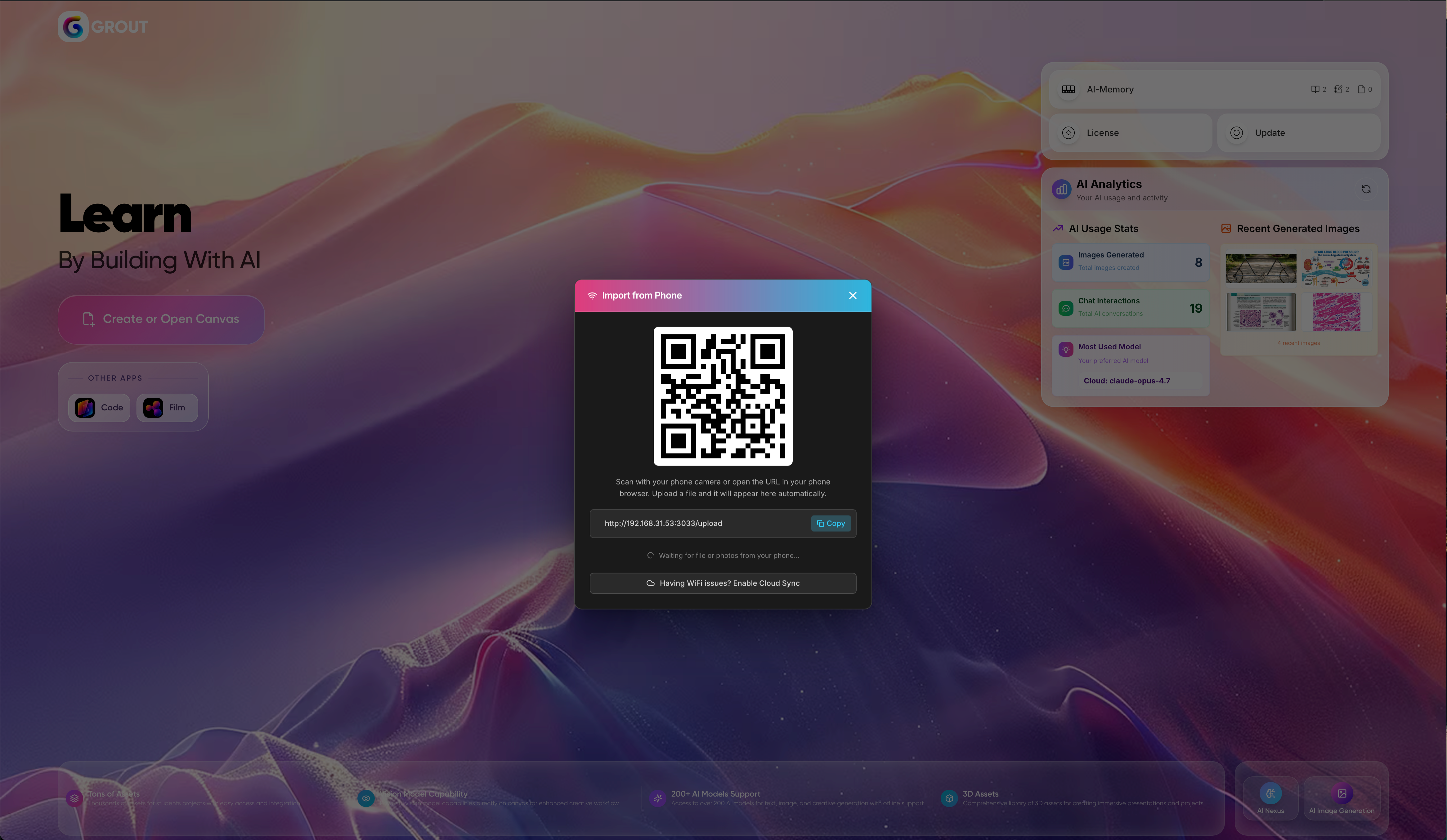
On the desktop app, open the phone scanning option to display a QR code.
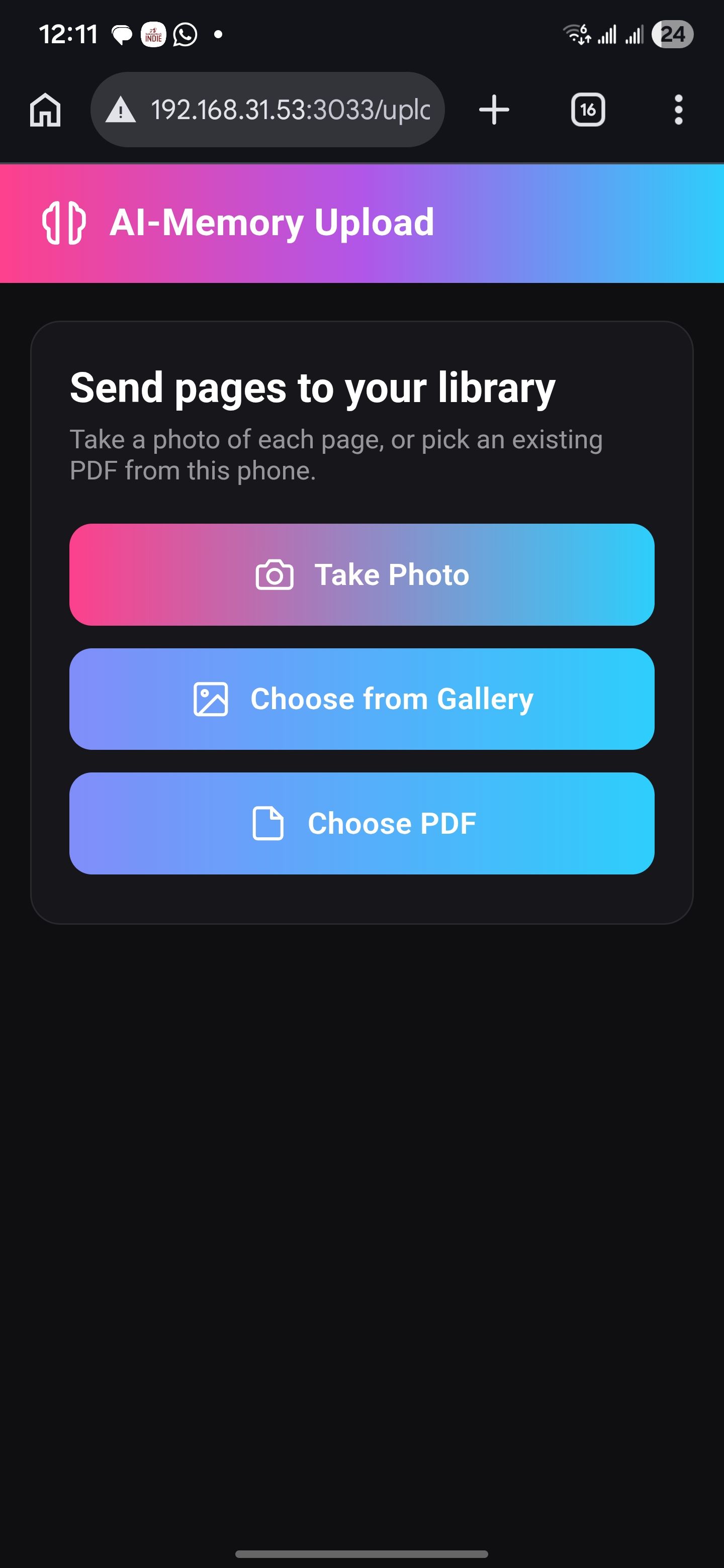
Scan the QR code with your phone's camera.
Your phone opens a capture screen — take photos of your textbook, notes, or whiteboard.
The photos are sent over Wi-Fi straight to your desktop canvas.
Requirements
Your phone and computer must be on the same Wi-Fi network.
Your phone's camera must be able to scan a QR code.
Troubleshooting
QR code won't connect: confirm both devices are on the same Wi-Fi network.
Photos not arriving: keep the desktop scanning screen open until transfer completes.
Blurry captures: retake in good lighting and hold the phone steady.
Was this helpful?
Still need help? Ask the team